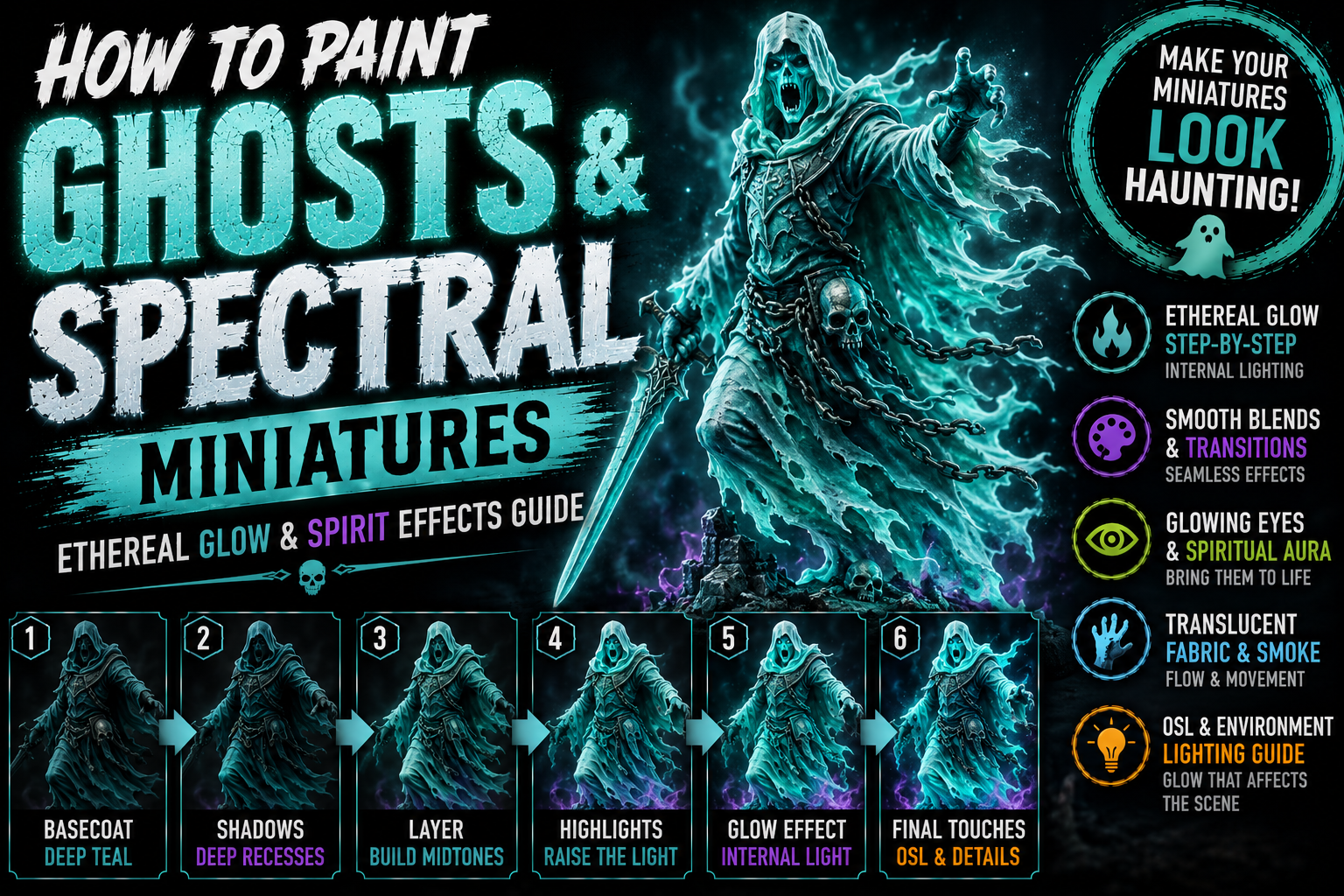
How to Paint Ghosts and Spectral Miniatures (Ethereal Glow & Spirit Effects Guide)
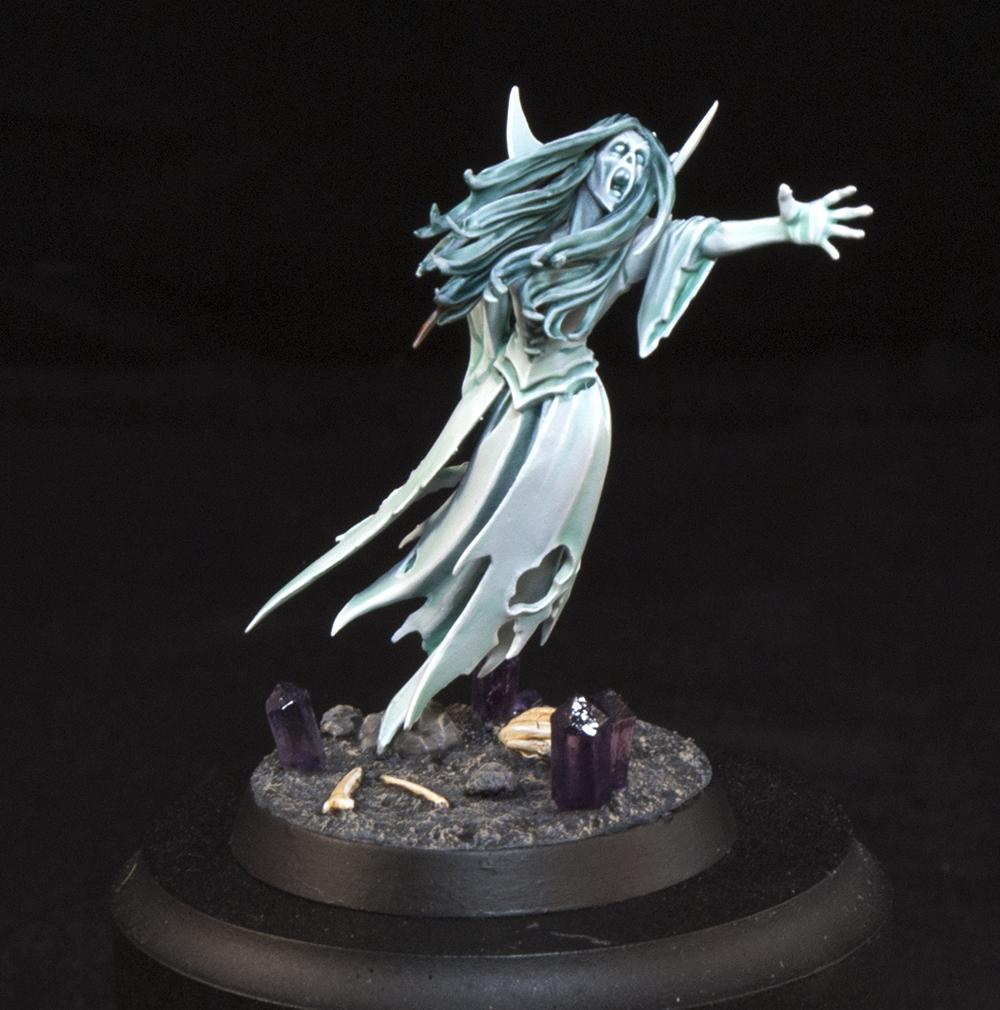
Ghosts and spectral creatures are some of the most visually unique miniatures you can paint. Unlike ordinary characters, spirits don’t need to follow realistic skin, armor, or clothing colors.
Instead, the goal is to make the miniature appear transparent, supernatural, and illuminated from within.
The biggest mistake when painting ghosts is simply covering the entire miniature with white or pale blue paint. Although the model becomes bright, it usually loses depth and starts looking unfinished rather than ethereal.
Convincing spectral miniatures need carefully controlled contrast, smooth transitions, saturated magical colors, pale highlights, and strategic shadows.
In this guide, you’ll learn how to paint realistic ghost and spectral effects using layering, glazing, dry brushing, color transitions, and supernatural glow techniques.
Understanding the Spectral Effect
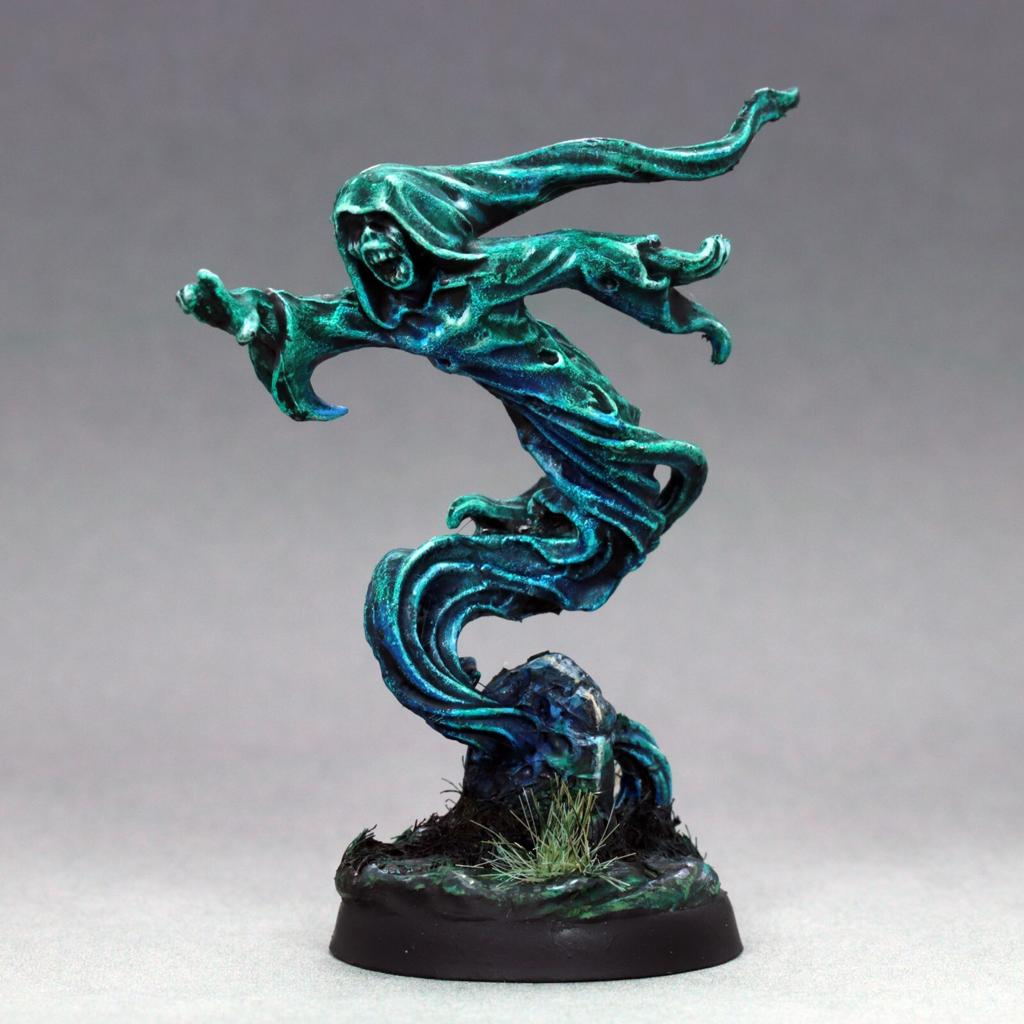
Ghosts behave differently from solid objects.
Instead of imagining normal light hitting the miniature from above, imagine magical energy glowing through the creature itself.
Some areas should remain strongly saturated while others gradually fade toward extremely pale colors.
This creates the illusion that the spirit isn’t completely physical.
A successful spectral miniature usually combines:
- Dark saturated recesses
- Bright supernatural midtones
- Pale highlights
- Smooth color transitions
- Selective internal glow
The contrast between these areas creates the illusion of supernatural energy.
Choosing Your Ghost Color Palette
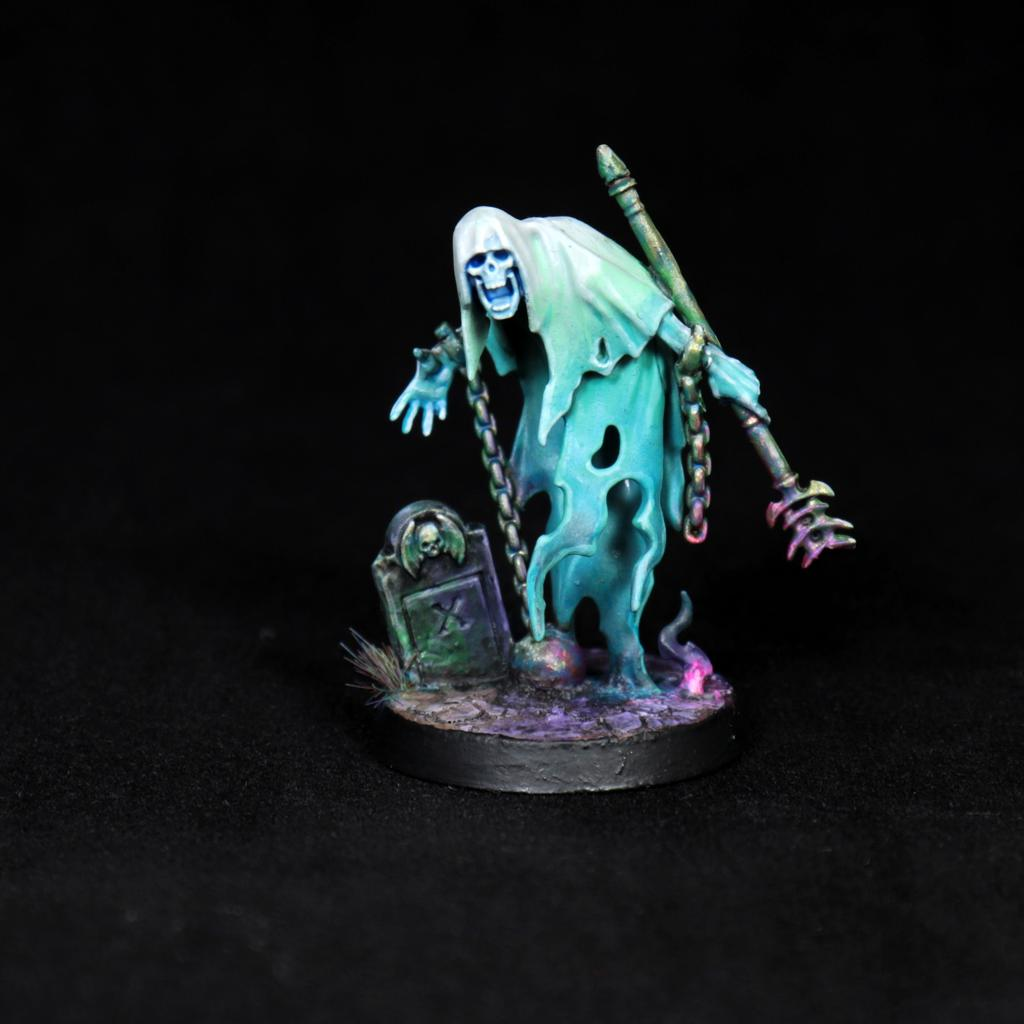
Spectral miniatures aren’t limited to blue.
Different colors can communicate completely different types of supernatural energy.
Popular combinations include:
- Turquoise + Pale Cyan
- Green + Yellow Green
- Blue + Ice Blue
- Purple + Magenta
- Teal + Ivory
- Pale Green + White
Turquoise and green are particularly beginner-friendly because they immediately read as magical or spectral.
Whatever palette you choose, prepare several versions of the same color ranging from dark and saturated to extremely pale.
Painting the Spectral Base Coat
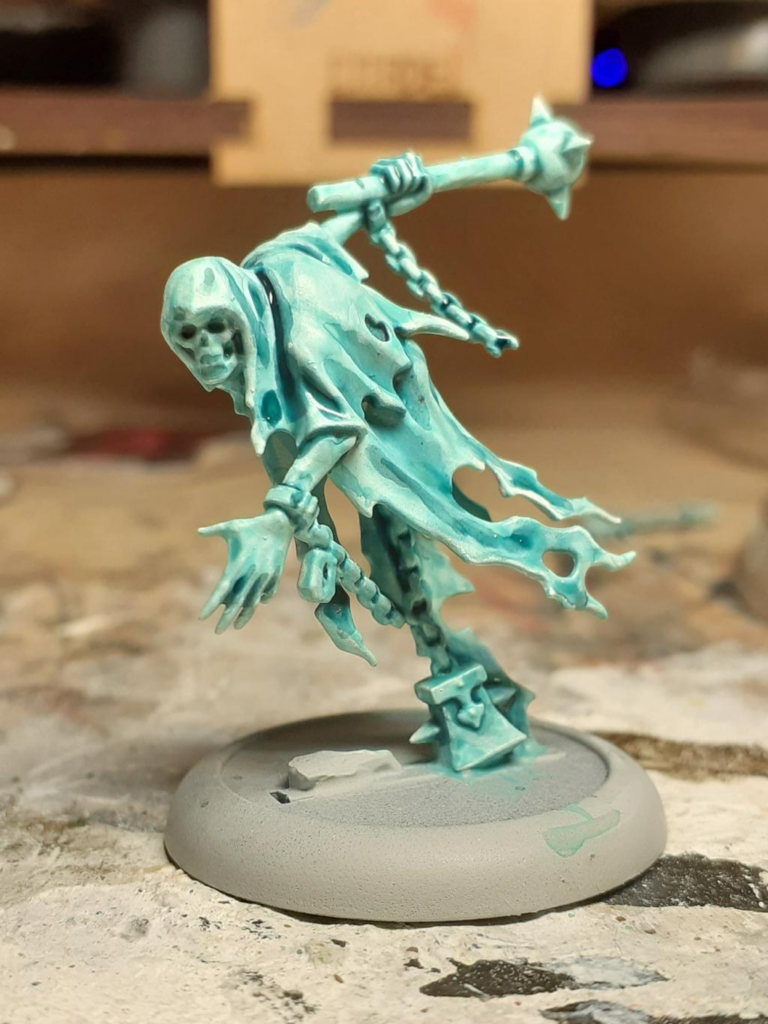
Begin with a medium saturated version of your chosen spectral color.
For a classic ghost, turquoise or blue-green works beautifully.
Apply several thin coats until the miniature has consistent coverage.
Don’t start with white.
Beginning with a stronger color gives you room to create both shadows and highlights.
Allow slightly darker colors to remain inside deeper folds and recesses.
These darker areas will help define the miniature later.
Creating Deep Spectral Shadows
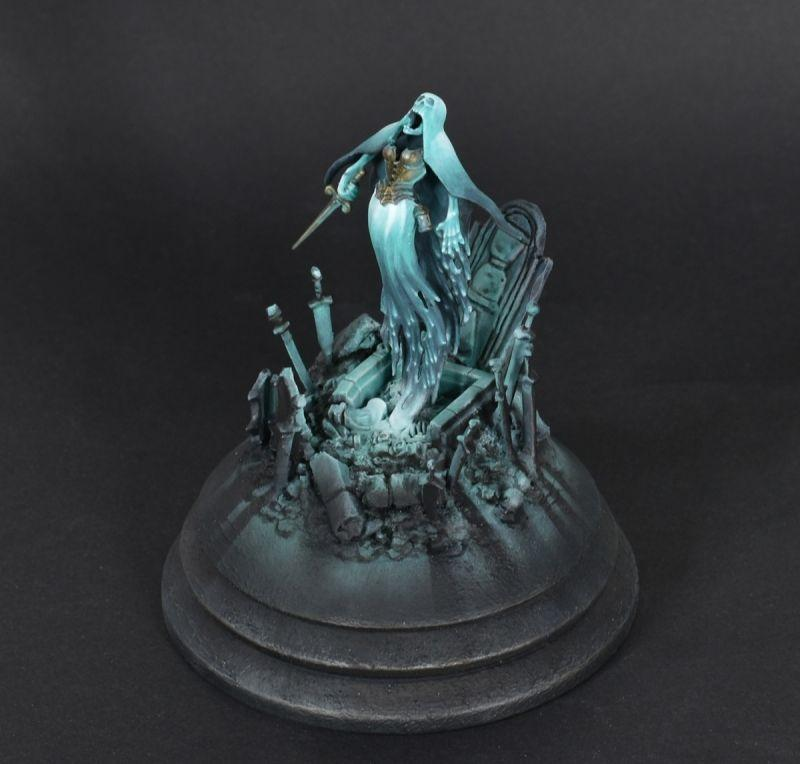
Even glowing creatures need shadows.
Without darker areas, the entire miniature becomes visually flat.
Use a darker version of your spectral color inside:
- Eye sockets
- Mouth
- Deep clothing folds
- Between fingers
- Beneath arms
- Inside damaged fabric
- Around overlapping shapes
For turquoise ghosts, deep teal or blue-green creates excellent shadows.
Purple can also introduce interesting supernatural variation.
Avoid using pure black unless you’re creating an extremely dark spirit.
Colored shadows preserve the magical appearance.
Building the Ethereal Midtones
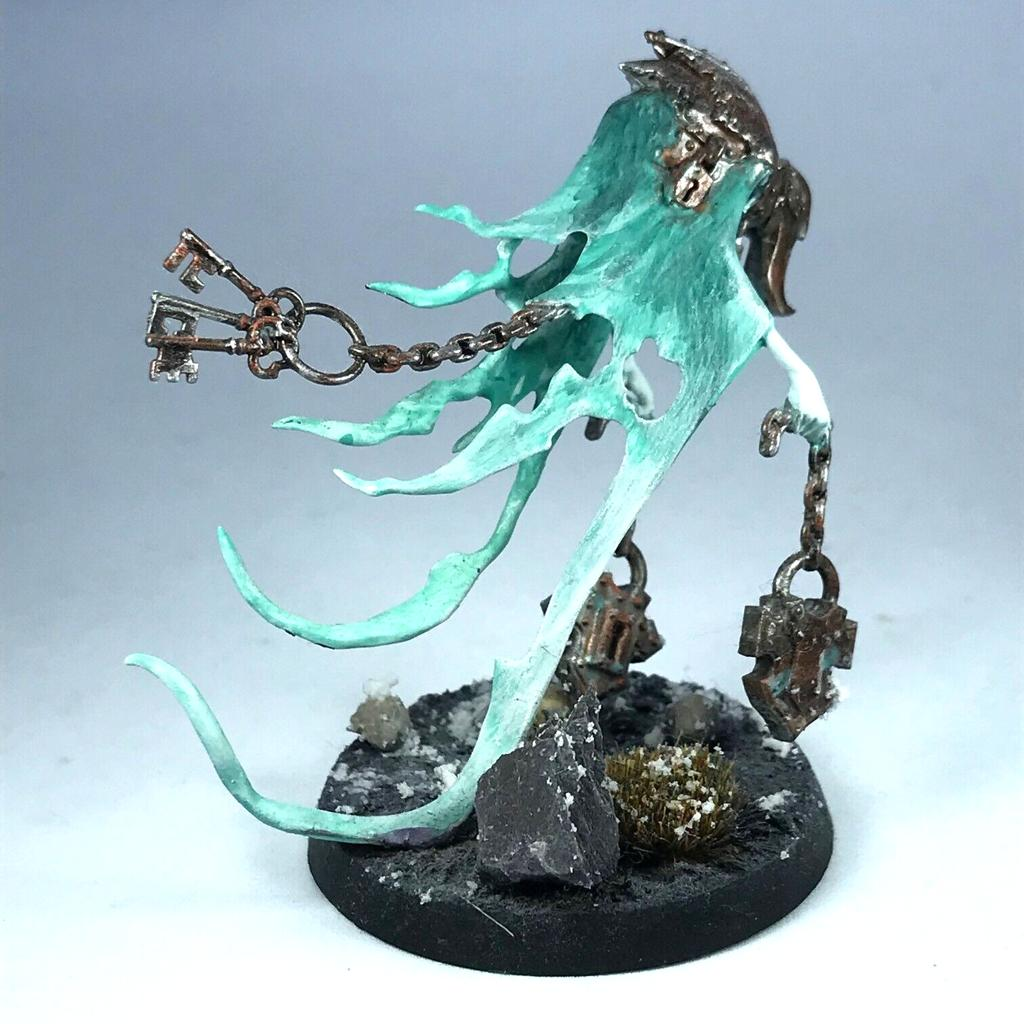
Once the shadows are established, restore your primary spectral color across raised surfaces.
Then gradually introduce lighter colors.
For example:
Deep Teal → Turquoise → Cyan → Pale Cyan → Ivory
Each layer should cover slightly less area.
Use thin paint and allow the previous colors to remain visible underneath.
Smooth transitions are especially important because harsh lines can make the ghost appear solid rather than ethereal.
Creating the Internal Glow
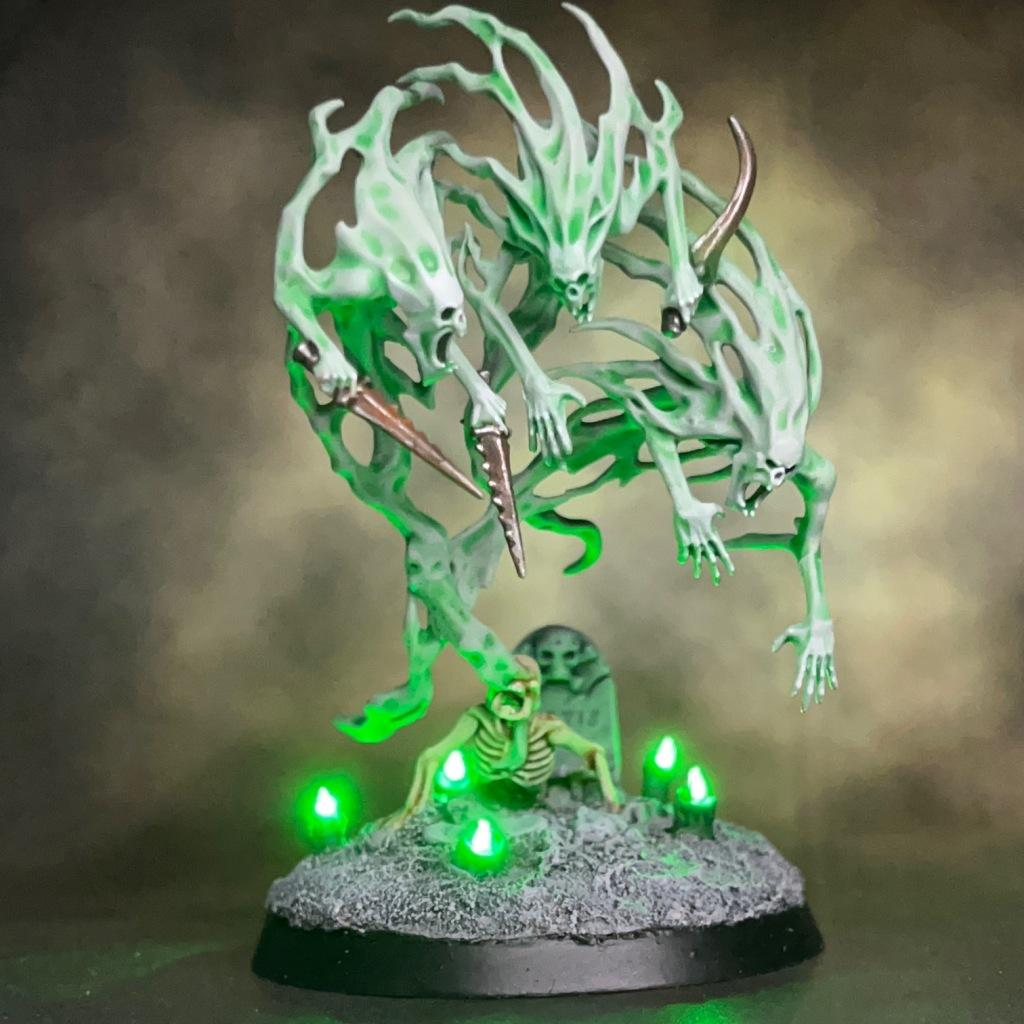
One of the most effective ways to make a ghost look supernatural is to reverse some traditional lighting rules.
Instead of placing all your brightest colors only on upward-facing surfaces, allow certain internal areas to become extremely bright.
The chest, face, hands, or magical core can appear illuminated from within.
Gradually increase brightness toward these areas.
Then use transparent glazes of the same color around them.
This creates the illusion that supernatural energy is traveling through the miniature.
Painting the Ghost Face
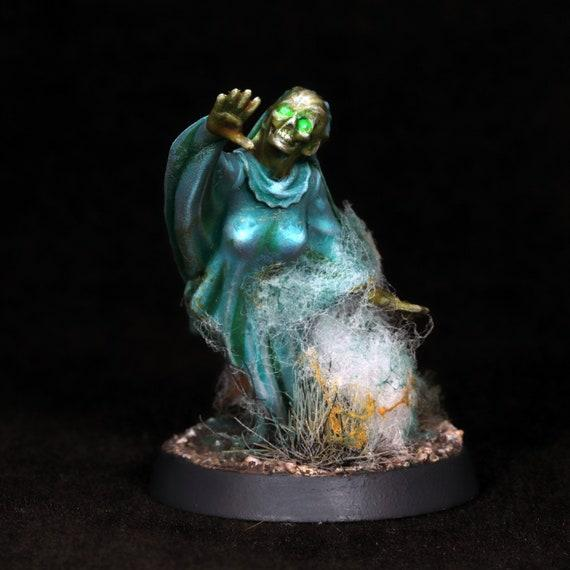
The face should usually receive your strongest contrast.
Darken the eye sockets and mouth while keeping the forehead, nose, cheeks, and surrounding spectral energy brighter.
This creates an eerie expression.
For extremely supernatural ghosts, you can reverse this approach and make the eyes themselves intensely bright.
Pale cyan, green, yellow, or white eyes can look fantastic against darker facial shadows.
Keep the brightest points small.
Small areas of extreme brightness appear much more powerful than covering the entire face with white.
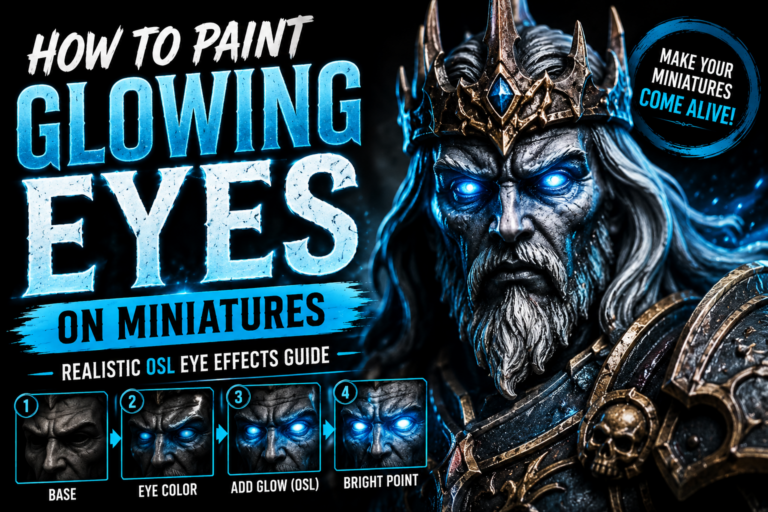
Painting Glowing Eyes
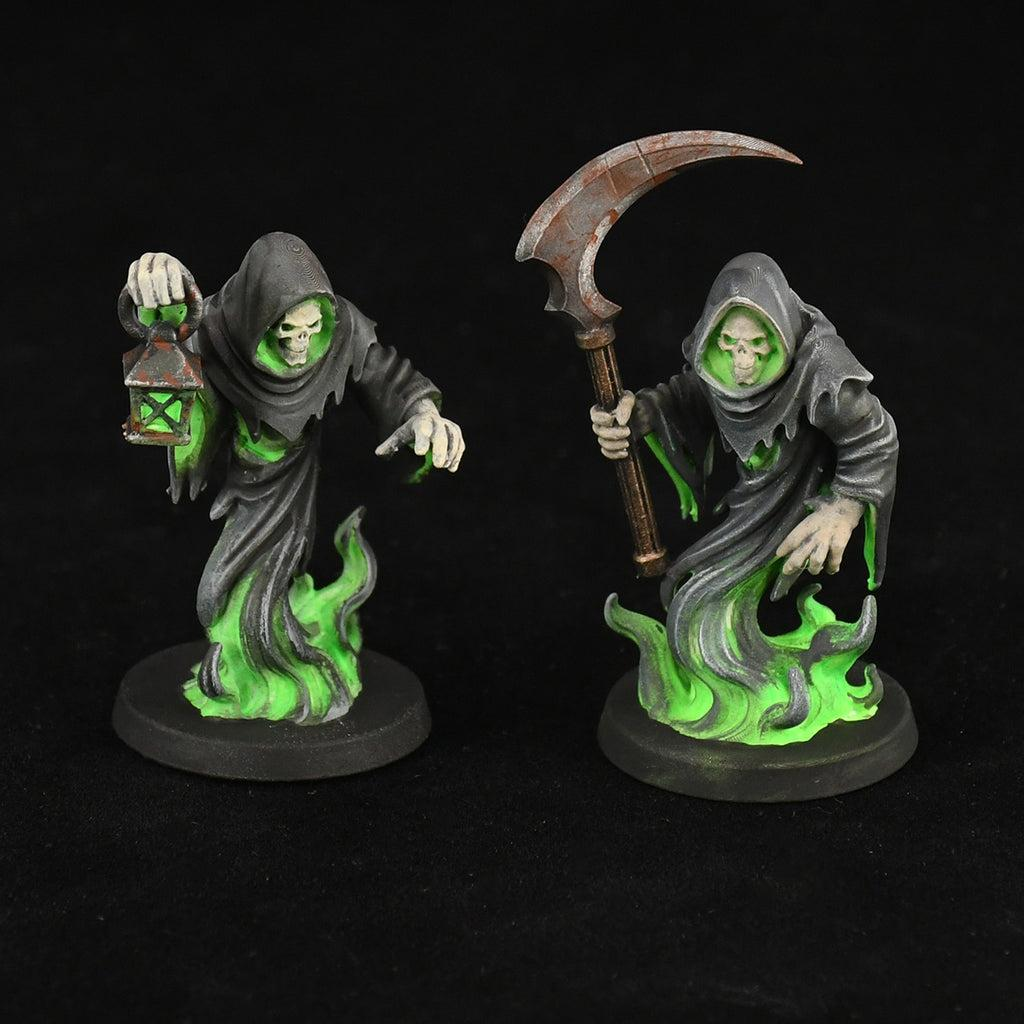
Glowing eyes are perfect for spectral creatures.
Start with a saturated color around the eye socket.
Gradually increase brightness toward the center.
Finish with a tiny pale or white point inside the eye.
Then apply a very thin glaze of the same magical color around the surrounding face.
The reflected light should remain subtle.
The eye itself must always remain brighter than the surrounding glow.
This preserves the illusion that the eye is producing the light.
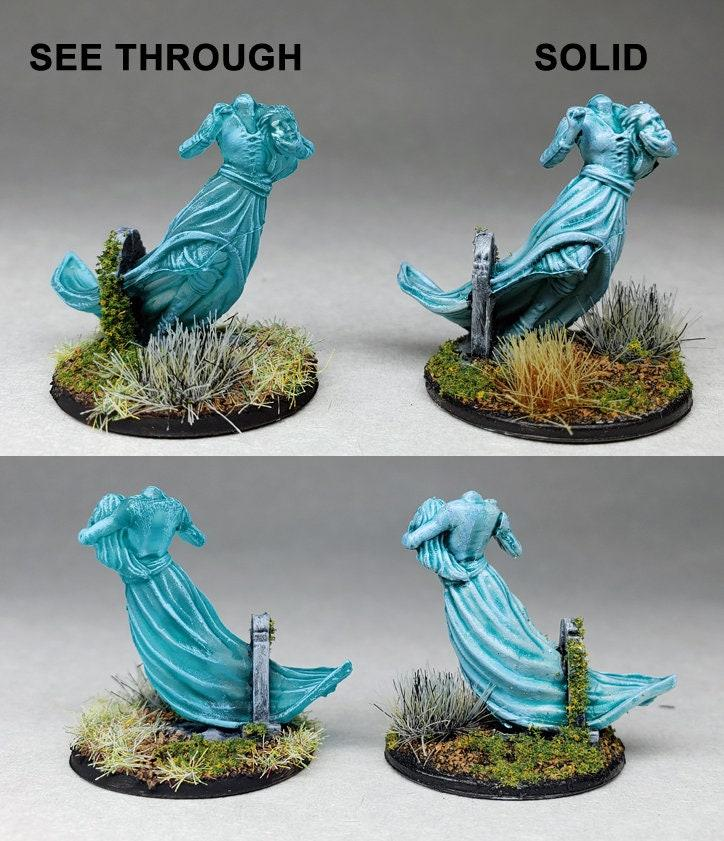
Creating Transparent-Looking Fabric
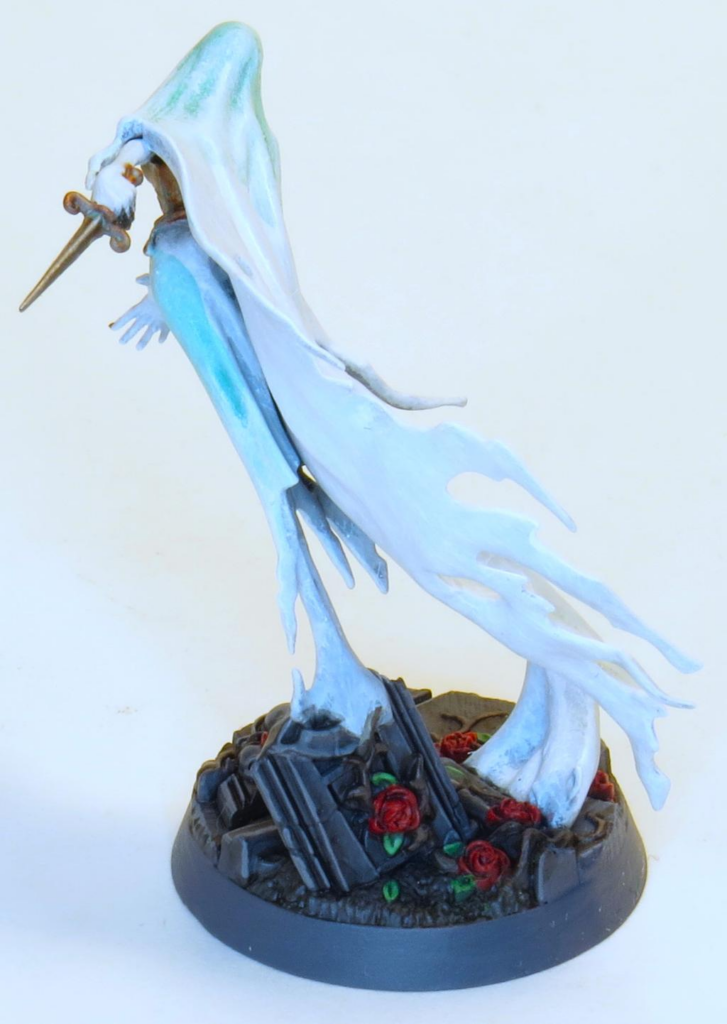
Many ghost miniatures contain long flowing robes or torn fabric.
You can make these areas appear partially transparent through color rather than actual transparent material.
Keep the deepest folds saturated.
Gradually make raised and thinner sections paler.
Edges of torn fabric can become almost ivory or white.
This creates the impression that the material becomes thinner as it extends away from the body.
Long flowing sections benefit particularly well from smooth gradients.
Creating a Spectral Fade
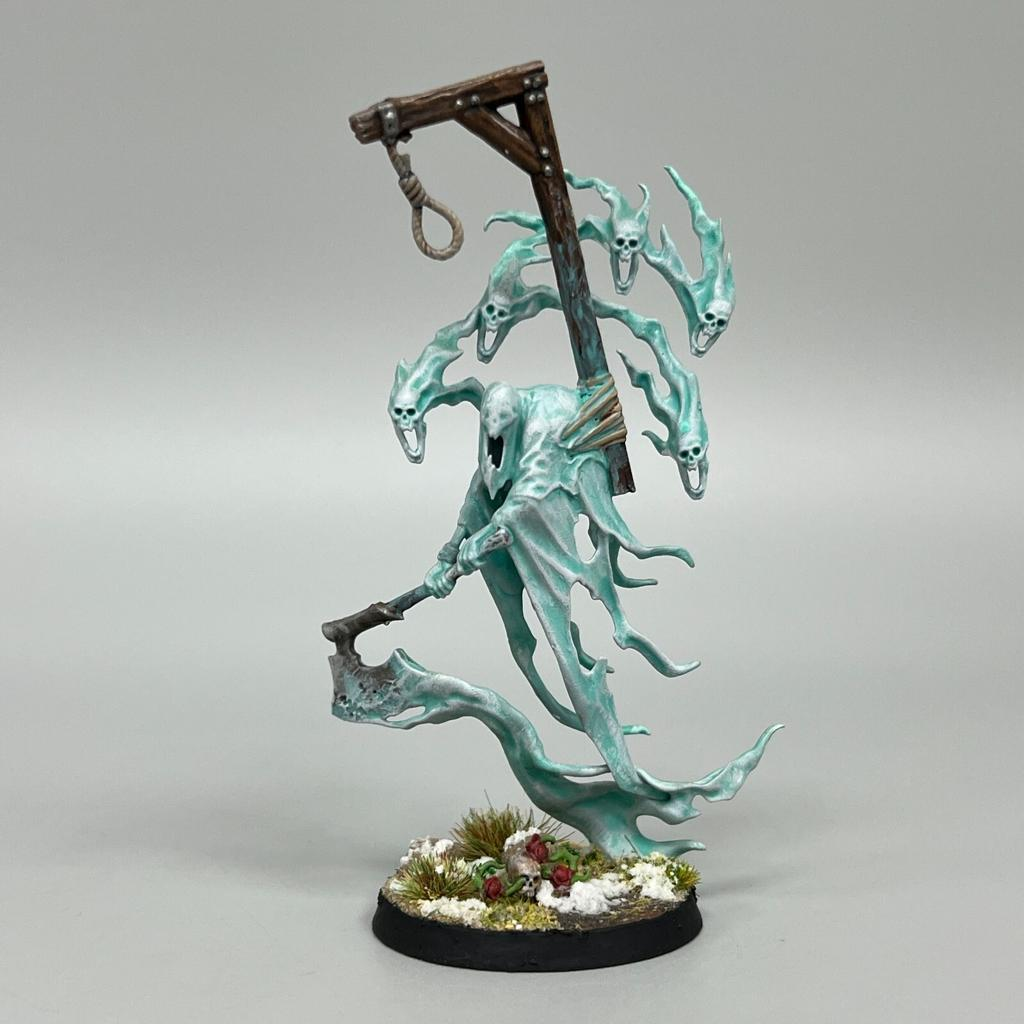
Many ghost miniatures don’t have traditional legs.
Instead, their bodies gradually disappear into smoke, magical energy, or spectral trails.
This is an excellent opportunity for a dramatic color transition.
You might begin with darker turquoise around the upper body and gradually transition toward pale cyan near the bottom.
Or reverse the effect.
A ghost could become darker and more transparent-looking as it disappears.
The important part is creating a smooth progression rather than an abrupt color change.
Using Dry Brushing on Spectral Miniatures
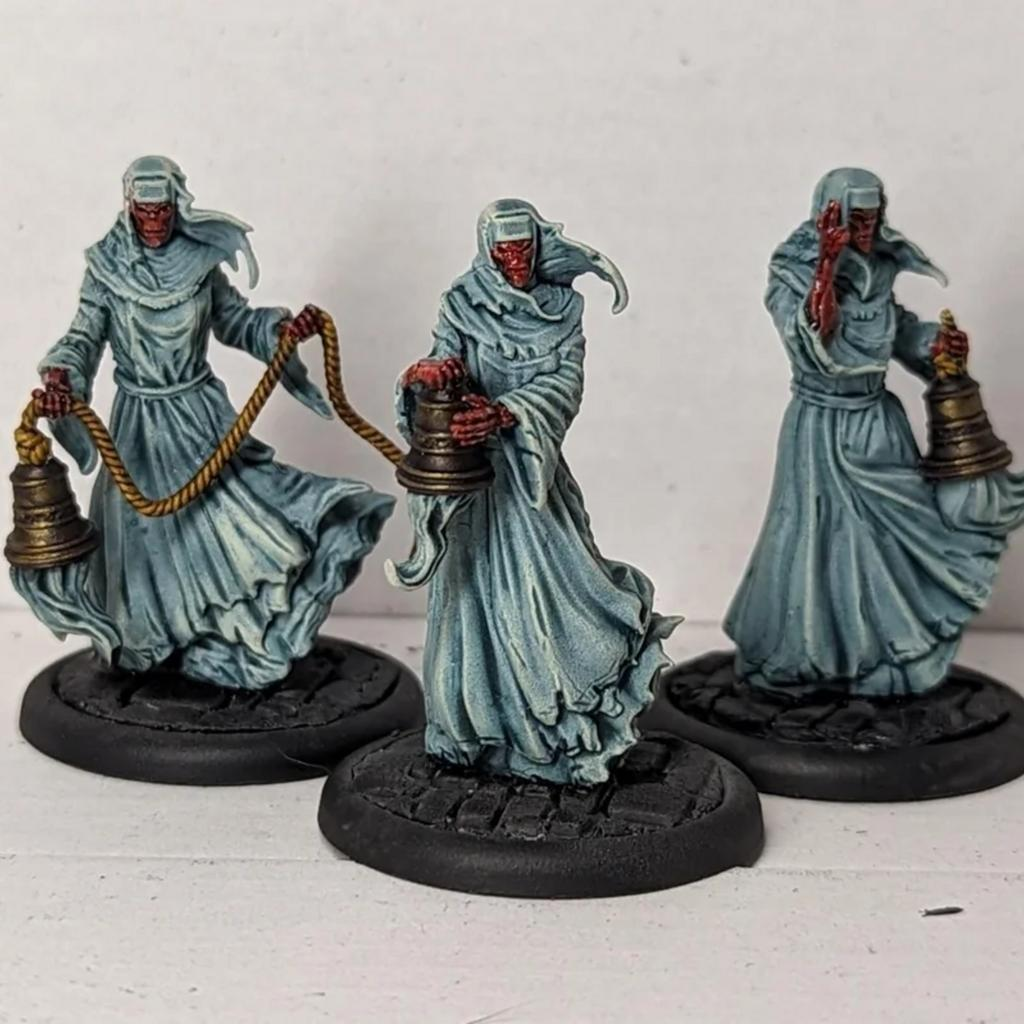
Dry brushing can be extremely effective on textured ghosts.
It works particularly well on:
- Torn robes
- Smoke
- Magical energy
- Flowing hair
- Spectral flames
Start with your midtone and gradually dry brush increasingly lighter colors across raised textures.
Use gentle pressure.
Heavy dry brushing can create a chalky appearance.
Finish important areas with controlled brush highlights afterward.
Adding Object Source Lighting
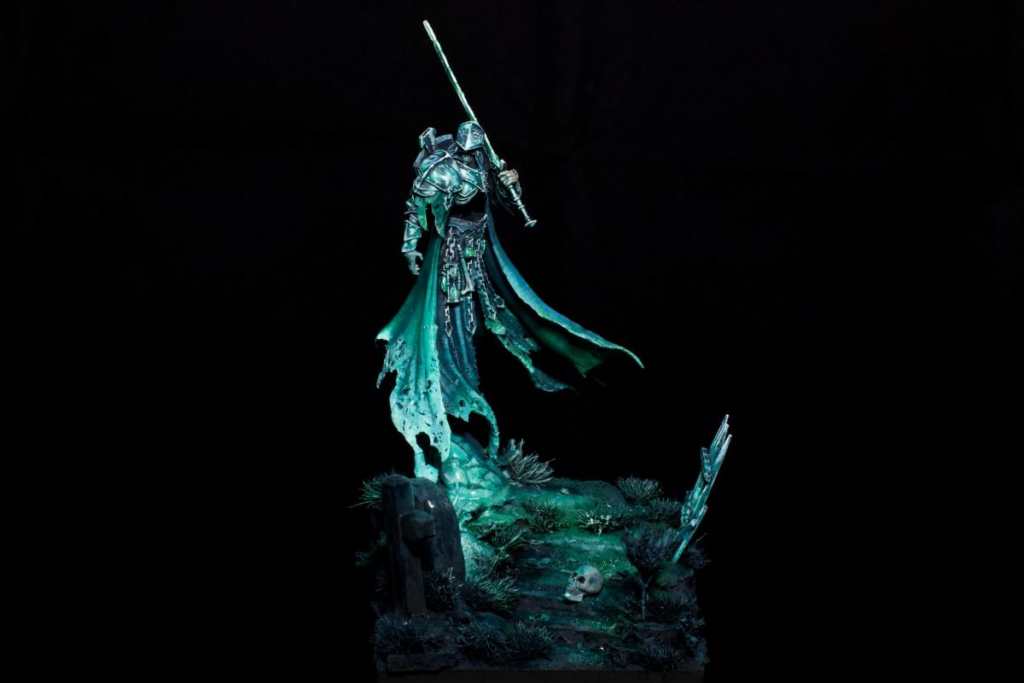
A powerful ghost should affect its surroundings.
If the creature is glowing turquoise, nearby rocks, weapons, armor, or ground surfaces can receive subtle turquoise reflections.
Thin your spectral color heavily and glaze it onto surfaces closest to the ghost.
The strongest reflection should appear nearest the creature.
Gradually reduce the intensity as the distance increases.
Don’t cover the original colors completely.
The viewer should still recognize the underlying material.
Painting Spectral Weapons
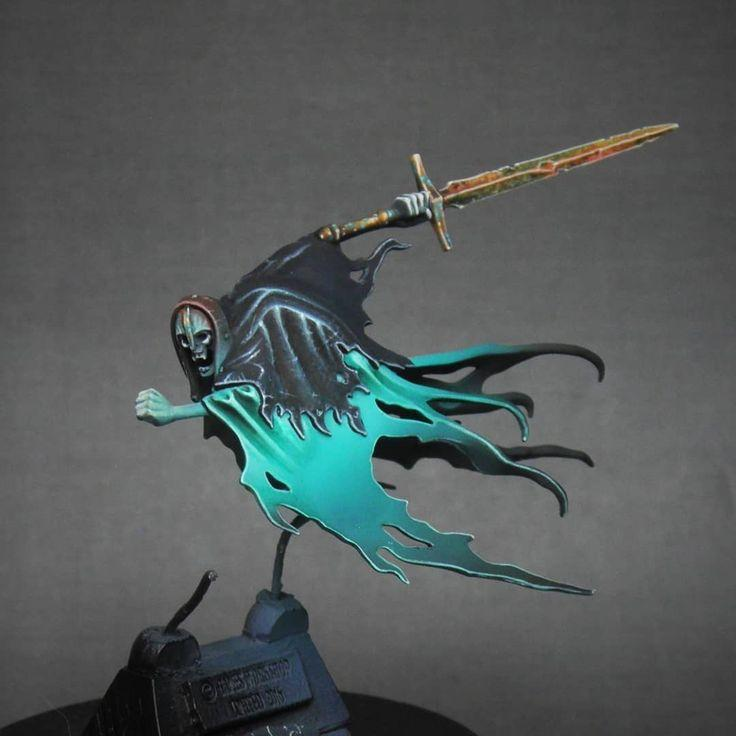
Ghost warriors often carry supernatural weapons.
Instead of painting them like ordinary metal, you can integrate them into the spectral palette.
Start with darker turquoise, green, blue, or purple.
Gradually increase brightness along the blade.
The sharpest edges can receive pale cyan or white highlights.
Alternatively, you can paint the weapon normally and allow spectral light from the ghost to reflect across the metal.
Both approaches create interesting contrast.
Creating Ancient and Dark Spirits
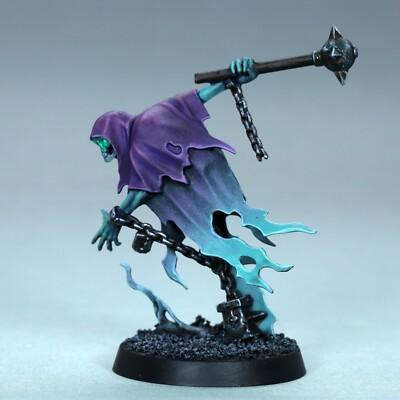
Not every ghost needs to be bright.
Ancient or hostile spirits can use much darker palettes.
Deep purple, navy, dark teal, and black-green can create sinister supernatural creatures.
Keep the recesses extremely dark while concentrating brighter spectral colors around the face, hands, or magical areas.
This produces a more dramatic horror-inspired appearance while maintaining the ethereal effect.
Creating a Magical Spirit Effect
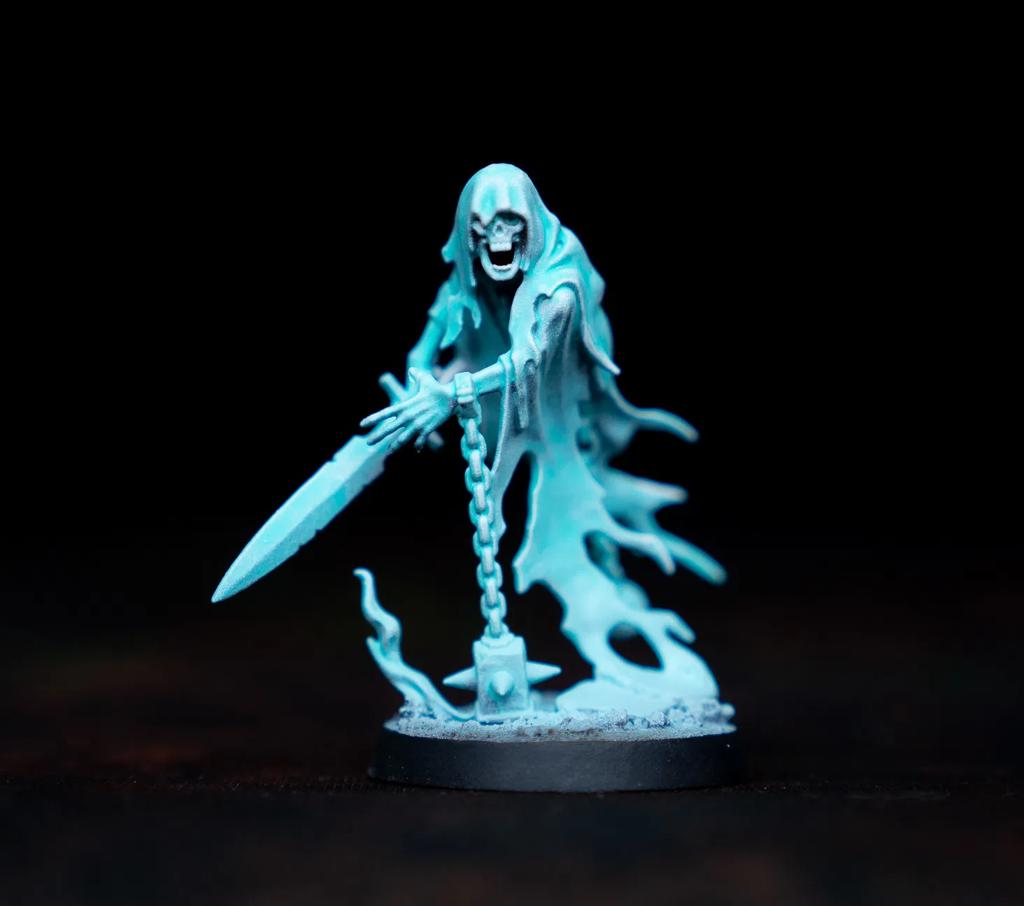
For friendly spirits, magical guardians, or summoned creatures, use brighter and cleaner colors.
Turquoise, cyan, pale blue, and ivory create an excellent magical appearance.
Reduce the amount of dark weathering and concentrate on smooth gradients.
You can also introduce small amounts of purple or green to create additional color variation.
The result feels more magical than undead.
Connecting the Ghost to the Base
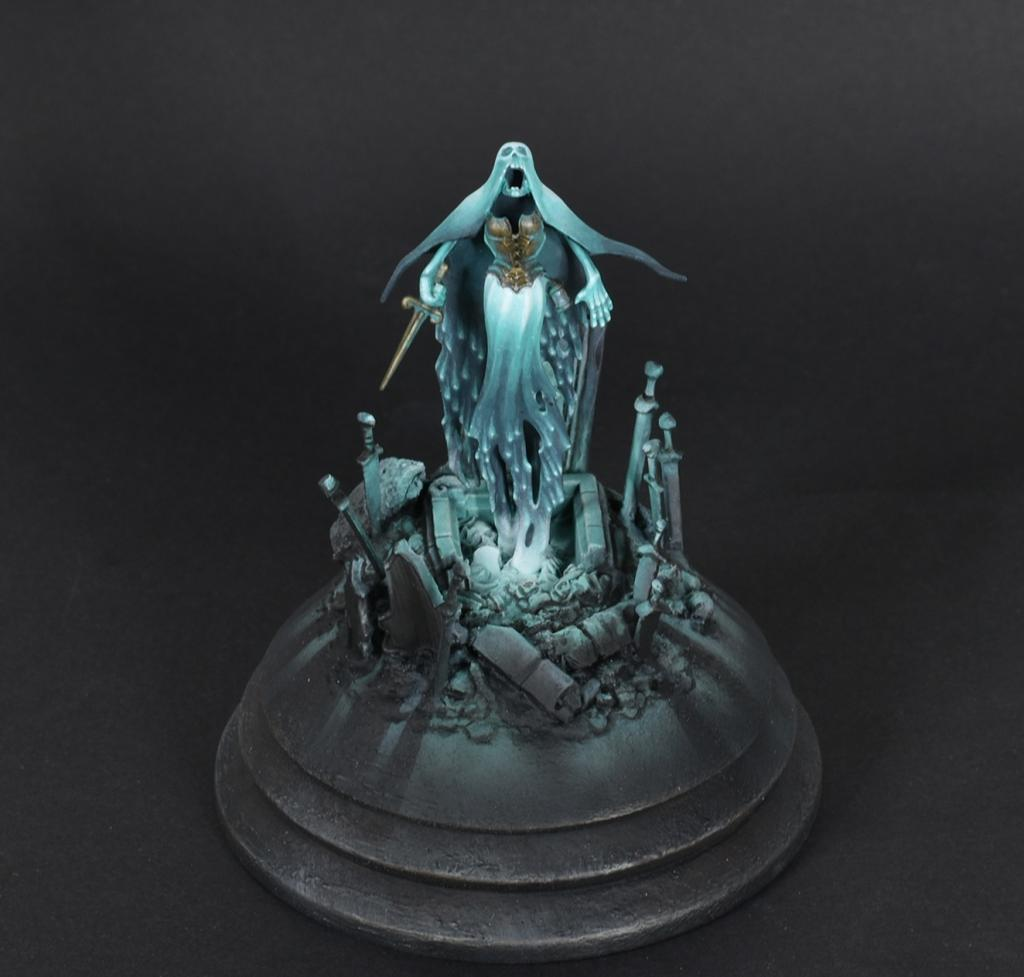
The base plays an important role in selling the supernatural effect.
Dark environments create the strongest contrast.
Graveyard stones, dungeon floors, ruined temples, forests, and rocky bases work particularly well.
Keep the environment relatively muted.
Then introduce small amounts of the ghost’s spectral color onto nearby surfaces.
This makes the miniature appear to actually illuminate the world around it.
A dark base also makes pale spectral highlights appear dramatically brighter.
Common Mistakes to Avoid
Avoid these common mistakes:
- Painting the entire ghost white.
- Using one turquoise color everywhere.
- Removing all deep shadows.
- Making every surface equally bright.
- Using pure black for all shadows.
- Applying OSL too far from the miniature.
- Making reflected light brighter than the ghost.
- Using extremely thick paint.
- Creating abrupt color transitions.
Spectral effects depend heavily on smooth transitions and controlled contrast.
Final Thoughts
Painting ghosts is less about realistic materials and more about convincing the viewer that the miniature doesn’t behave like a normal physical object.
Start with a saturated supernatural color rather than white.
Establish deep colored shadows, gradually build brighter midtones, and concentrate pale highlights around important areas.
Use smooth transitions to create transparent-looking robes and spectral trails.
Then introduce glowing eyes, internal illumination, and subtle Object Source Lighting to make the supernatural energy interact with the environment.
These techniques work beautifully on ghosts, spirits, banshees, wraiths, spectral warriors, summoned creatures, undead armies, and countless D&D miniatures.
The best spectral miniatures aren’t simply bright.
They look like they’re producing their own light.
Once you create that illusion, even a relatively simple ghost miniature can become one of the most dramatic models on your tabletop.
Frequently Asked Questions
What’s the easiest color for painting ghosts?
Turquoise and blue-green are excellent choices because they naturally transition from deep teal shadows into cyan and pale ivory highlights.
Should ghosts be painted white?
Usually not as the main color. White works best as a final highlight rather than the foundation of the entire miniature.
How do I make a ghost look transparent?
Use smooth gradients, pale edges, saturated recesses, and gradually fading colors rather than trying to literally reproduce transparency.
Do I need an airbrush for spectral effects?
No. Thin layers, glazing, and controlled dry brushing can create excellent ghost effects using ordinary brushes.
How do I make a ghost appear to glow?
Keep the brightest areas concentrated on the ghost and add subtle transparent reflections of the same color onto nearby surfaces.
Can I paint ghosts purple instead of blue or green?
Absolutely. Purple, magenta, red, yellow, and other supernatural palettes can create unique spectral creatures.
What’s the best color for spectral shadows?
A darker saturated version of your main color usually works best. Deep teal, navy, purple, and dark green are excellent choices.
What’s the biggest mistake when painting ghost miniatures?
Making everything equally bright. Strong shadows and carefully controlled highlights are what make the spectral glow convincing.
If you would like free D&D STL miniatures, visit our homepage and download yours now:https://echoartstudios.net/