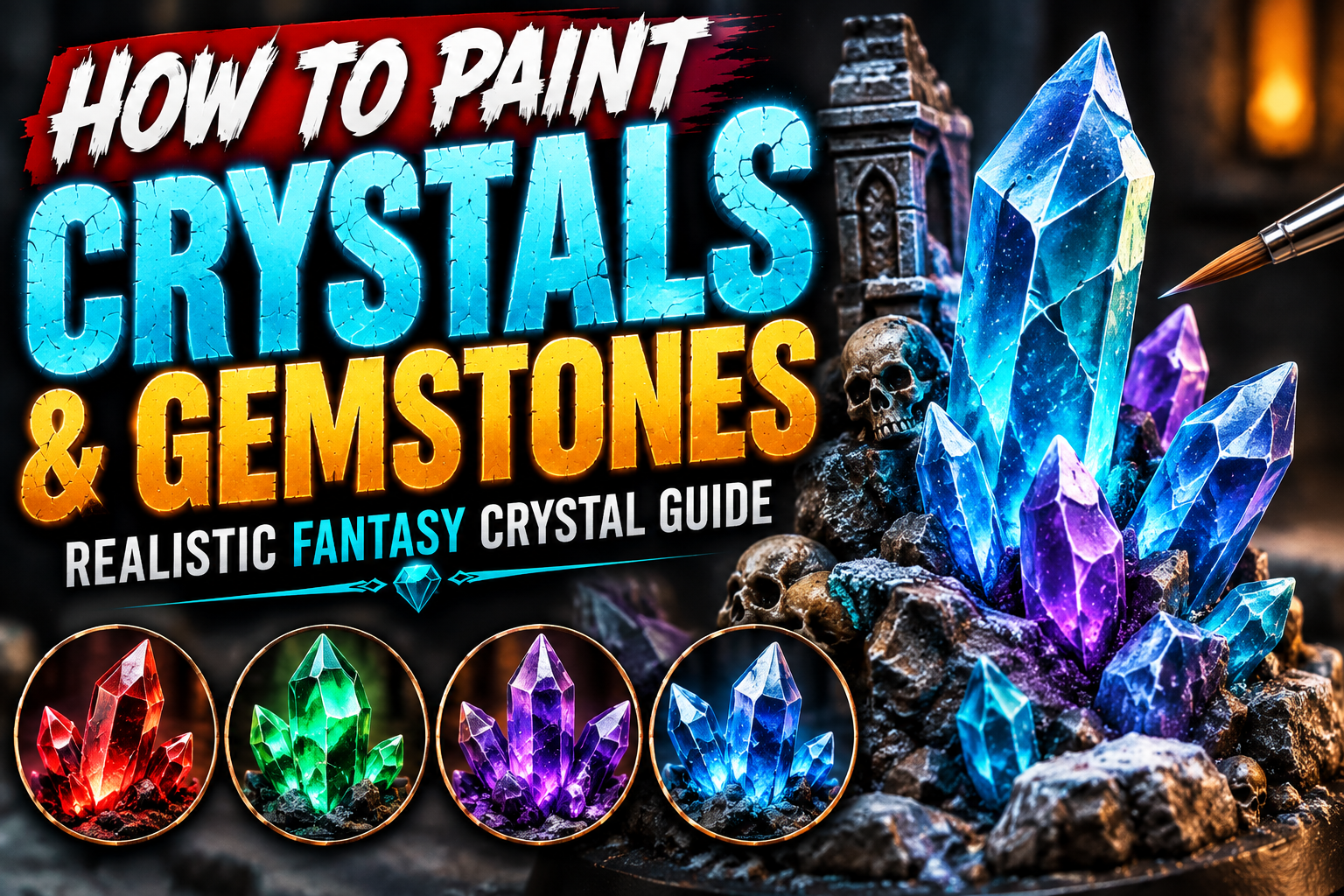
How to Paint Crystals and Gemstones on Miniatures (Realistic Fantasy Crystal Guide)
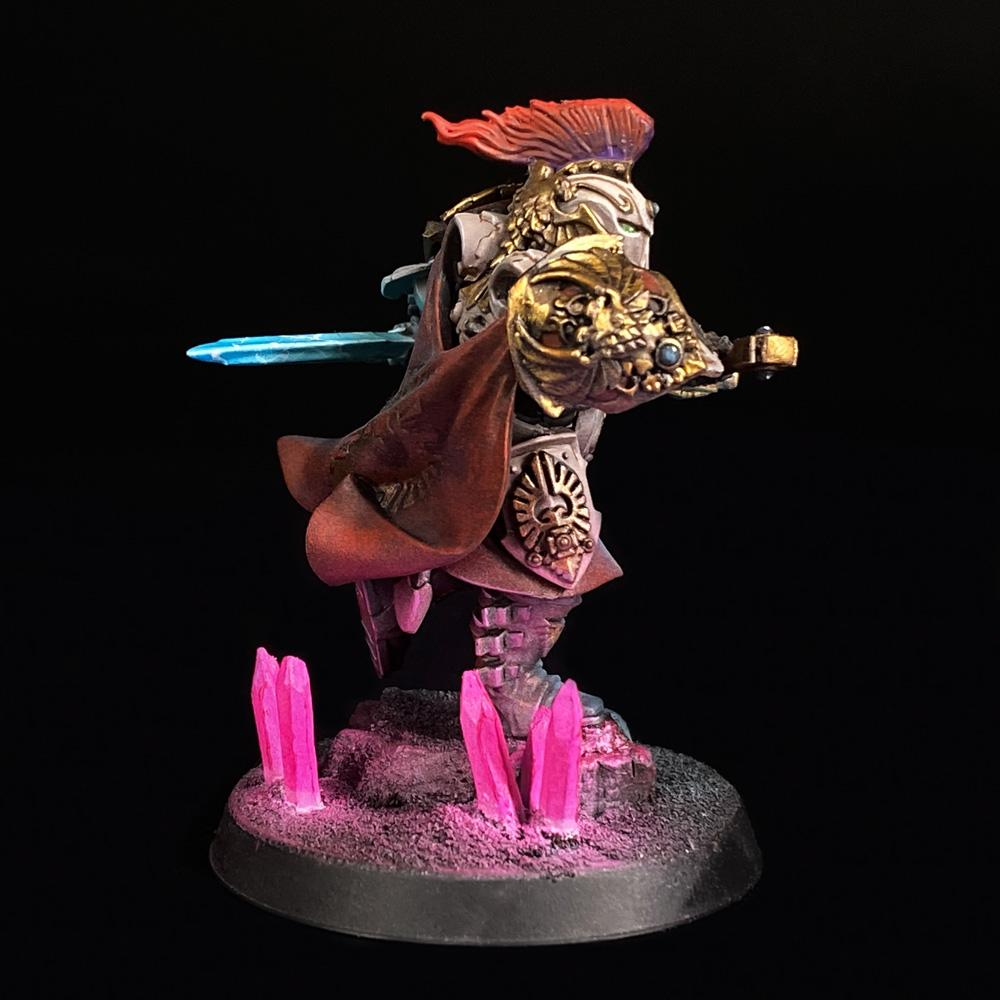
Crystals and gemstones are some of the best details for adding color, contrast, and magical energy to a fantasy miniature. They can appear on wizard staffs, enchanted weapons, treasure, jewelry, armor, dungeon scenery, magical creatures, and bases.
The interesting part is that you do not need transparent paints or actual transparent resin to create convincing crystals. With carefully placed shadows and highlights, an ordinary opaque piece of plastic or resin can appear surprisingly translucent.
The secret is understanding that crystals behave differently from ordinary surfaces. Instead of simply highlighting the areas facing upward, you can use reversed gradients, sharp reflections, extreme contrast, and carefully positioned white highlights.
This guide explains how to paint realistic crystals and gemstones on miniatures using techniques that work for almost any fantasy color scheme.
Understanding the Crystal Effect
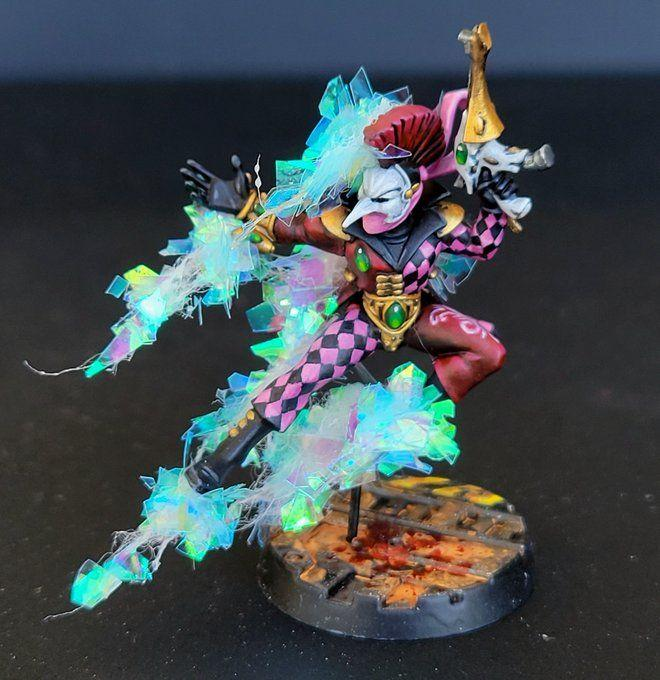
A normal object usually becomes lighter where light hits it and darker where light is blocked.
Transparent gemstones are more complicated.
Light enters the material, travels through it, reflects internally, and can create bright areas in unexpected places. Miniature painters can exaggerate this behavior to create the illusion of transparency.
One particularly effective technique is the reversed gradient.
Imagine a crystal divided into several flat surfaces. Instead of highlighting every surface identically, one facet might transition from dark at the top to bright at the bottom while the neighboring facet does the opposite.
This creates immediate visual complexity.
You don’t need scientifically perfect reflections. What matters is convincing the viewer that light is passing through something rather than simply bouncing off an opaque surface.
Choosing Your Crystal Color
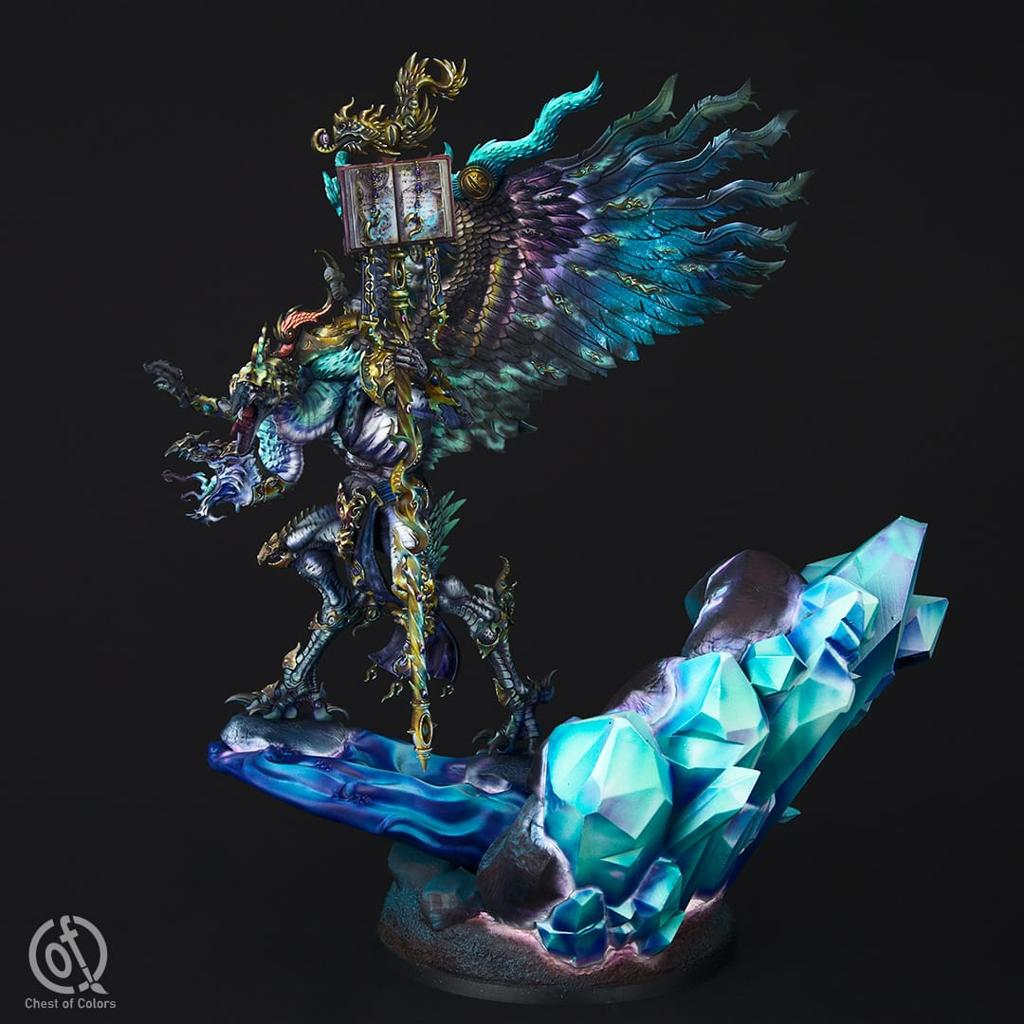
Almost any saturated color can become a convincing fantasy gemstone.
Emerald crystals work beautifully with deep green, turquoise, and yellow-green. Rubies can transition from burgundy through crimson into bright orange-red. Sapphire crystals can move from navy through royal blue into cyan.
Purple crystals are especially effective for magical or corrupted characters because they can transition from almost black violet into vivid magenta.
Whatever color you choose, build the palette around three main values:
Dark shadow → saturated midtone → extremely bright highlight.
Then reserve pure white for the smallest reflections.
The difference between the darkest and brightest areas should be dramatic. Weak contrast is one of the biggest reasons painted gemstones look like ordinary colored rocks.
Painting the Dark Base Coat
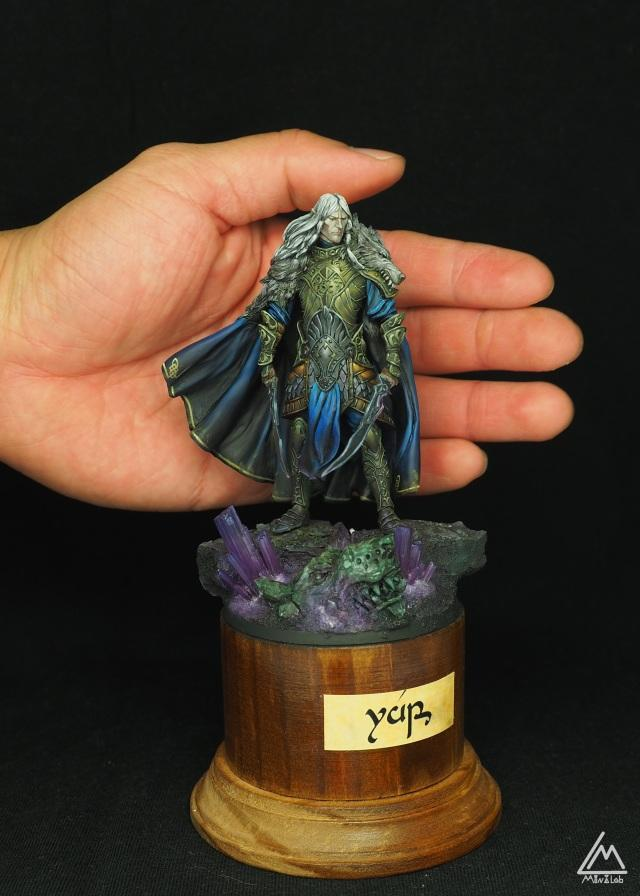
Begin much darker than you expect.
For blue crystals, you might start with navy. Green crystals can begin with a very dark emerald. Red gemstones can start with burgundy, and purple crystals can begin with deep violet.
Apply several thin coats until the surface is smooth.
Do not worry if the crystal initially looks almost black.
That darkness becomes valuable later because your bright colors will appear much more luminous beside it.
At this stage, identify the individual facets of the sculpt.
The sculptor has already created most of the geometry you need. Your job is to emphasize those shapes through controlled color placement.
Building the First Crystal Gradient
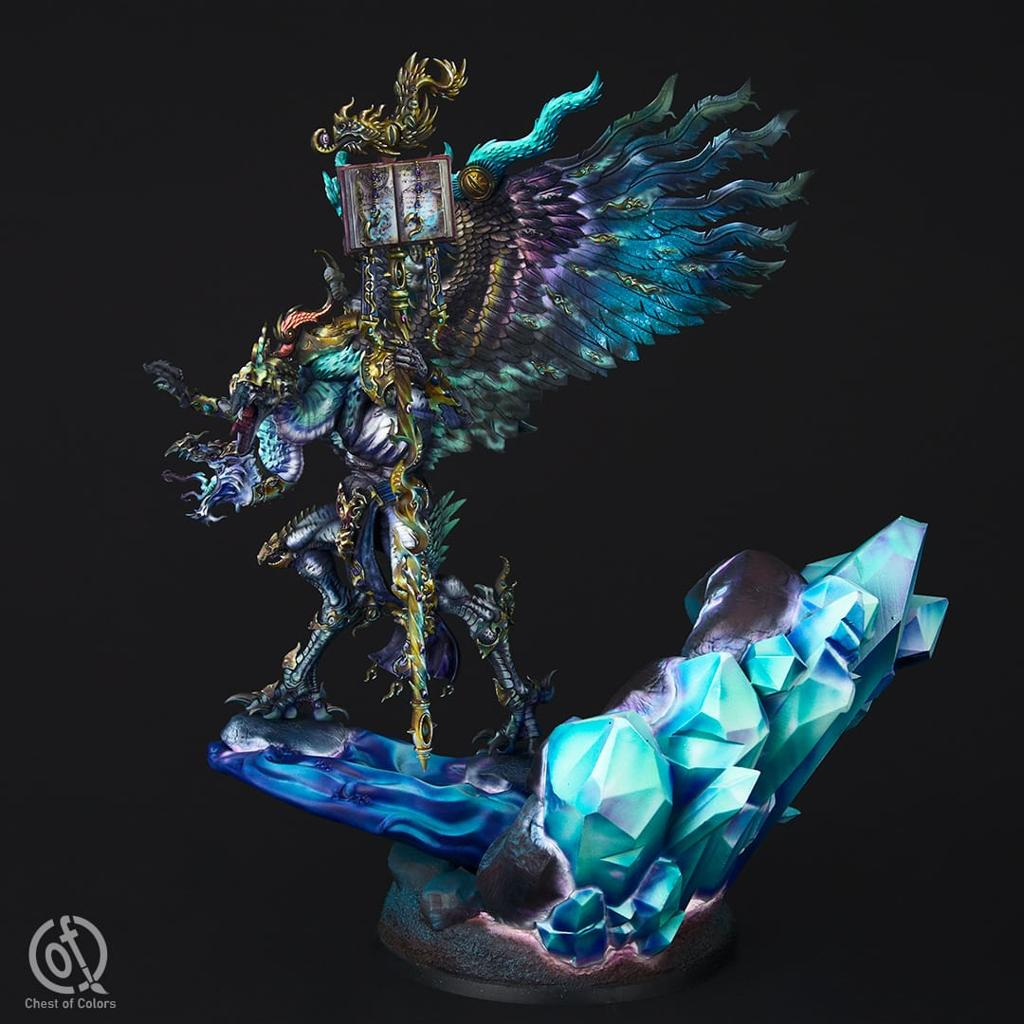
Now introduce your main saturated color.
Choose one crystal facet and paint the brighter color toward one end while preserving the dark base at the opposite end.
On the neighboring facet, reverse the direction.
For example:
One surface might transition from dark blue at the top into turquoise at the bottom.
The adjacent surface might transition from turquoise at the top into dark blue at the bottom.
This alternating pattern is incredibly effective because it suggests internal reflections.
Use thin paint and gradually build the transition.
Perfect airbrush-level blending isn’t necessary. Crystals naturally contain hard visual transitions, so a combination of smooth gradients and sharp boundaries often looks better than completely seamless blending.
Adding the Brightest Internal Colors
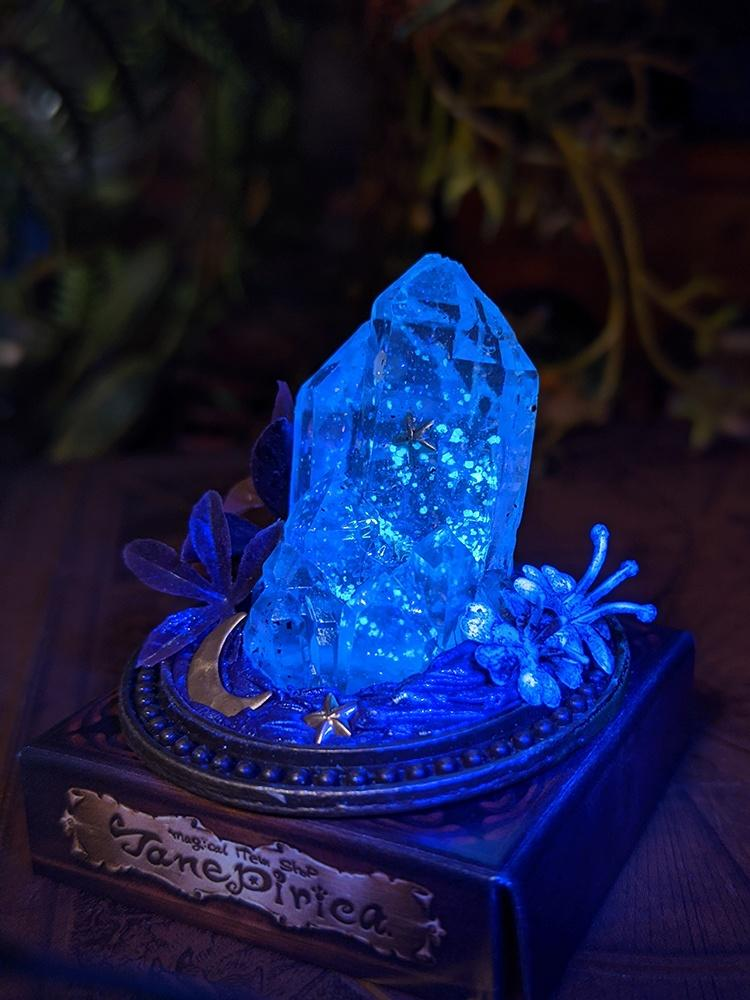
Once your basic gradients are established, push the bright sections further.
For a blue crystal, introduce cyan.
For green, use bright yellow-green or turquoise.
For red, introduce orange-red.
For purple, introduce magenta or pink.
Keep these colors concentrated toward the brightest end of each gradient.
The brightest areas should occupy significantly less space than the midtones.
This creates the impression that light is concentrated inside the material.
You can then add a tiny amount of pale blue, pale green, pale pink, or another near-white color immediately before your final reflections.
At this point, the crystal should already begin looking luminous.
Painting Sharp Crystal Edges
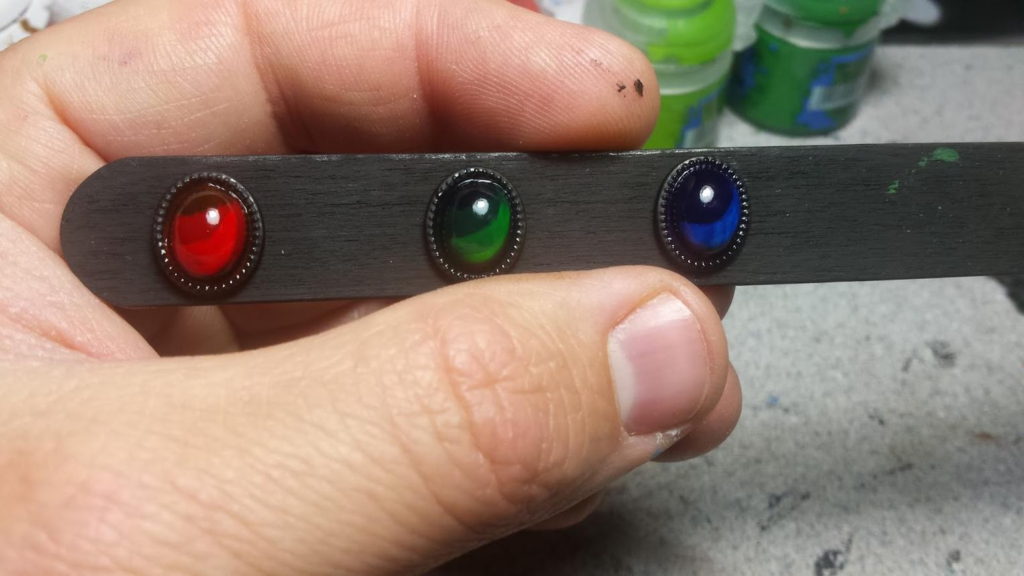
This is where the effect becomes much more convincing.
Use a very fine brush and highlight the sharpest edges of the crystal.
Start with a lighter version of your main color.
Then selectively introduce near-white highlights along the most exposed edges.
Do not outline every single edge equally.
Some edges should remain dark.
Others can receive thin bright lines.
A few particularly important corners can become almost pure white.
This variation creates reflections and prevents the crystal from looking like a cartoon outlined in white.
Keep your brush reasonably dry and maintain a sharp point.
Creating Realistic Reflections
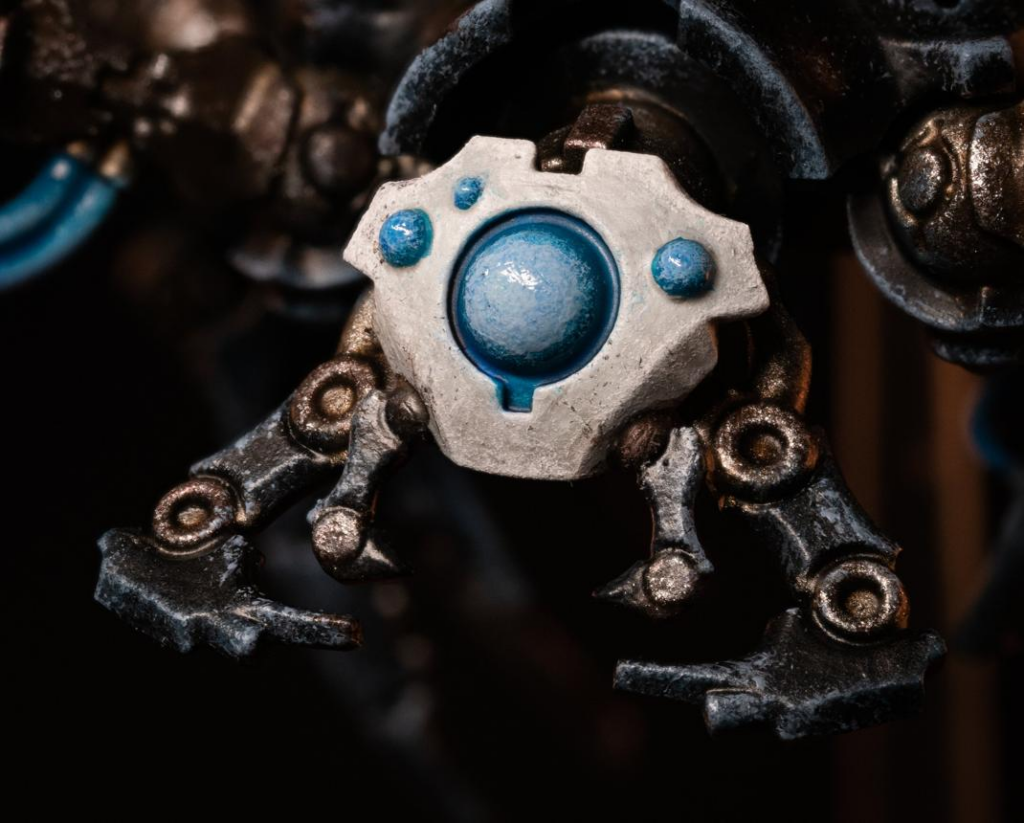
Small white reflections can transform the entire effect.
Choose one or two locations where the imaginary light source would strongly reflect from the gemstone.
Paint a tiny white line, dot, or narrow triangular reflection.
Keep these marks extremely small.
If you use too much white, the gemstone loses its color and starts looking chalky.
The brightest reflection should be surrounded by saturated color. This contrast tricks the eye into interpreting the white mark as intense reflected light.
For larger crystals, you can add several reflections of different intensities.
Some can be pale versions of the crystal color while only the strongest reflections reach pure white.
Painting Small Gemstones on Armor
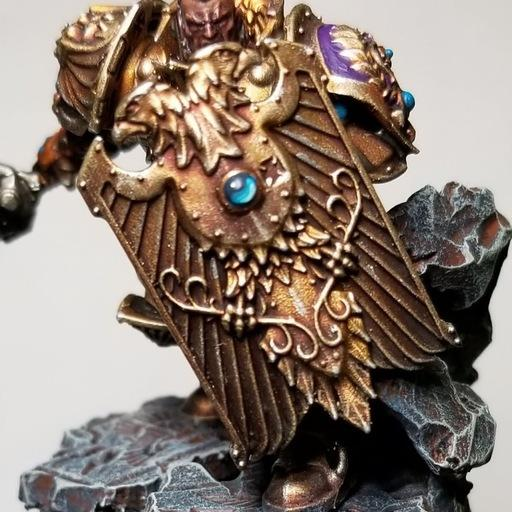
Not every gemstone is a giant magical crystal.
Tiny gems embedded in armor, necklaces, crowns, weapons, and accessories can use a simplified version of the same technique.
Begin with a dark base.
Paint the lower portion of the gemstone with a brighter saturated color.
Add an even brighter crescent near the bottom.
Then place a tiny white dot near the upper opposite corner.
That combination creates the illusion that light enters the gemstone from above and becomes concentrated inside it.
For extremely small gems, you might only need four colors:
Dark base, midtone, bright color, and white.
The technique takes seconds once you become comfortable with it.
Painting Magical Crystals
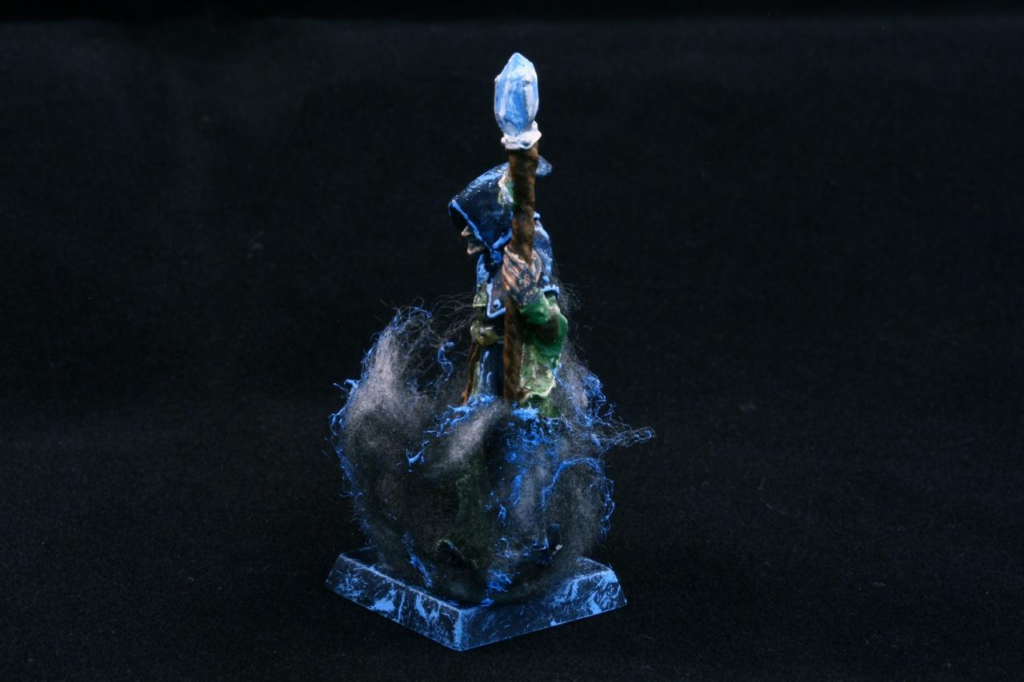
Fantasy crystals can go beyond realistic gemstones.
A magical crystal can appear to generate its own light.
For this effect, place your brightest color toward the center or deepest part of the crystal instead of relying entirely on external reflections.
For example, a magical blue crystal might transition from dark navy edges into turquoise and nearly white cyan toward its center.
This suggests internal energy.
You can also introduce thin glowing cracks running through the crystal.
Paint the crack with a bright saturated color first, then place a much thinner pale line inside it.
Keep the surrounding area darker.
The stronger the contrast, the more powerful the magical glow appears.
Adding Object Source Lighting Around Crystals
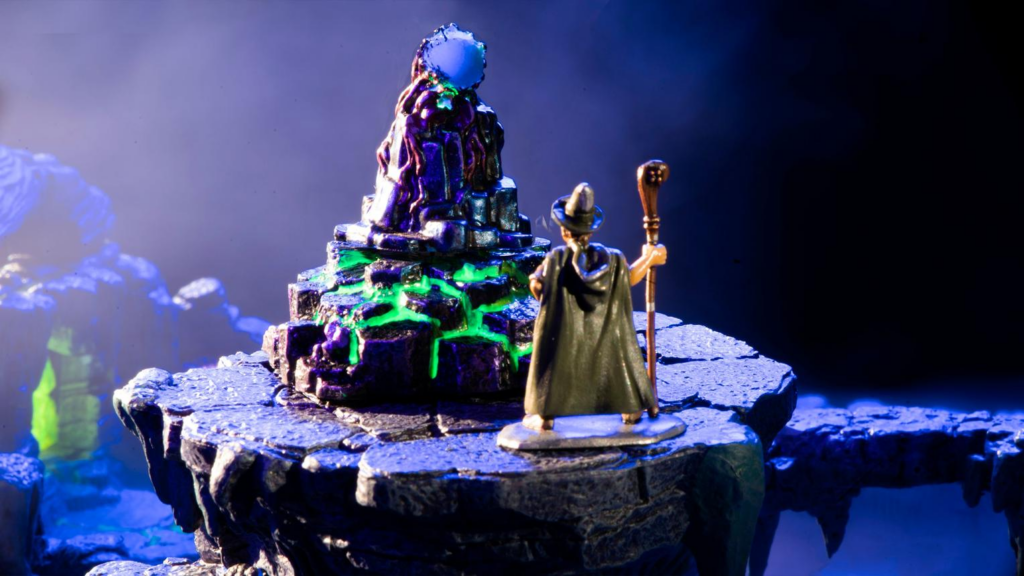
If the crystal is supposed to emit light, nearby surfaces should react to it.
This is where Object Source Lighting — usually called OSL — becomes useful.
Imagine a glowing turquoise crystal attached to a wizard’s staff.
The strongest turquoise reflection should appear on the parts of the staff immediately beside the crystal.
A weaker reflection might reach the wizard’s hand.
An even weaker reflection could appear on nearby clothing.
The effect should gradually disappear as the distance from the crystal increases.
Use thin glazes rather than thick opaque layers.
Most importantly, the reflected surfaces should never become brighter than the crystal itself.
The source must remain the brightest part of the effect.
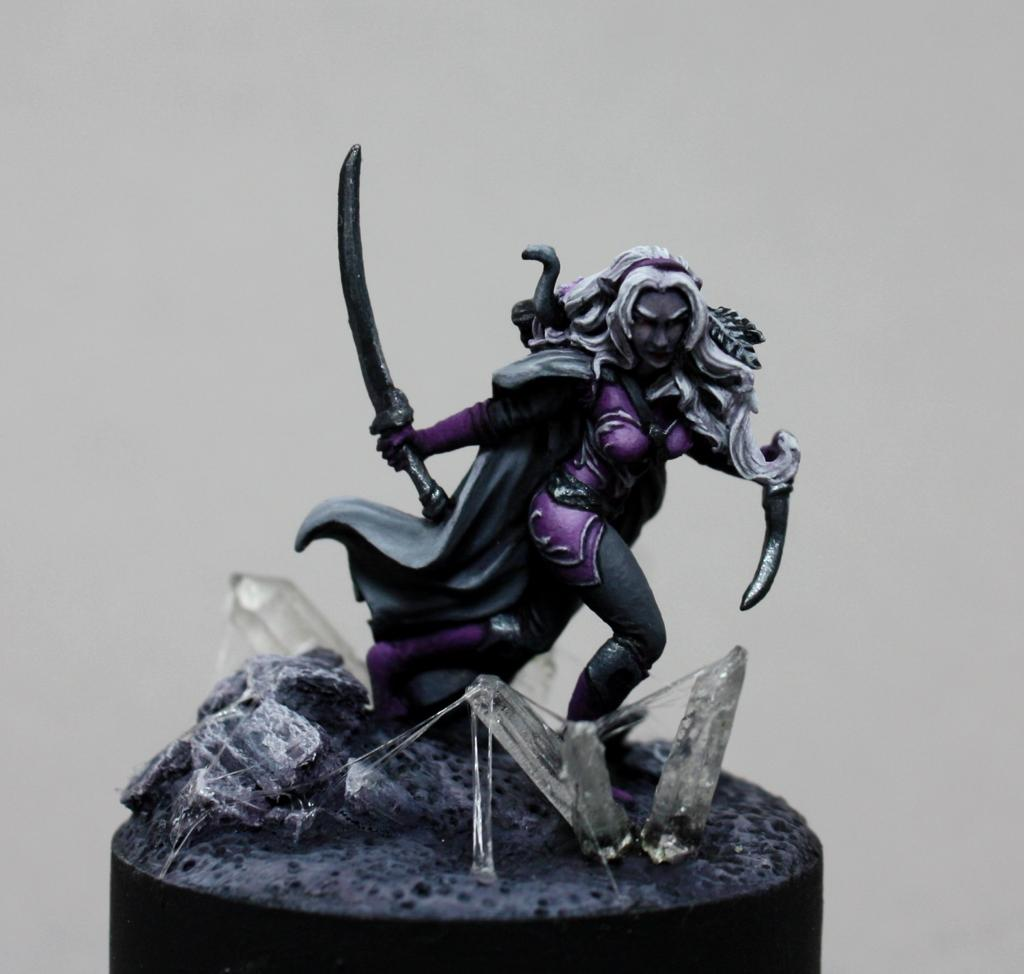
Painting Crystals on Miniature Bases
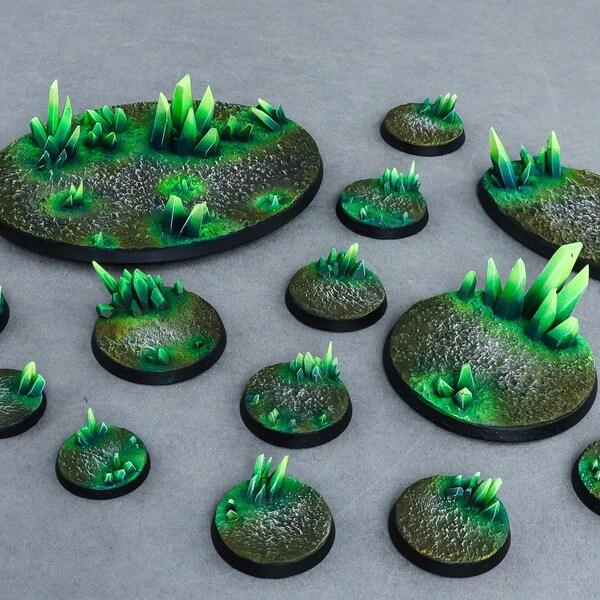
Crystals can turn a simple miniature base into a complete fantasy environment.
They work particularly well for underground caverns, magical ruins, alien landscapes, wizard laboratories, and enchanted forests.
Paint the surrounding terrain relatively dark.
Grey stone, dark brown earth, black volcanic rock, or muted vegetation allows saturated crystals to stand out.
You can also paint subtle reflections from the crystals onto nearby rocks.
For example, purple crystals can cast faint violet color onto surrounding stone.
Keep the effect strongest immediately beside the crystal and gradually reduce it.
This connects the crystal to the environment rather than making it look like an unrelated object glued onto the base.
Painting Different Types of Gemstones
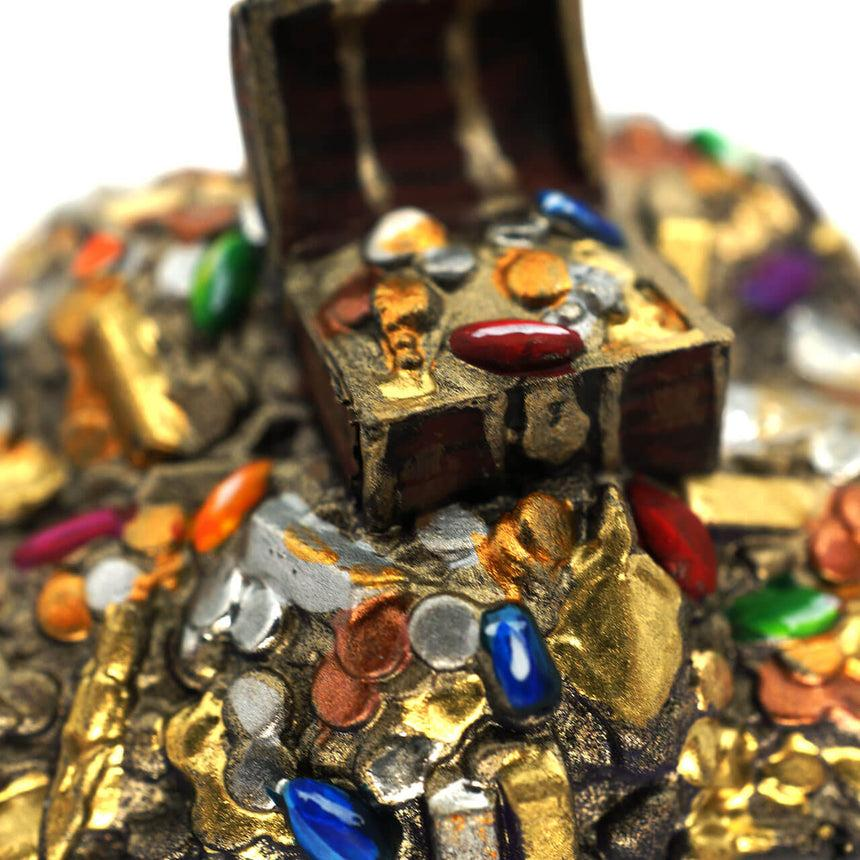
Different colors can communicate different materials and magical properties.
Ruby gemstones work beautifully with burgundy shadows, red midtones, orange-red highlights, and tiny pale reflections.
Emeralds can use almost-black green, emerald, bright green, and yellow-green.
Sapphires can transition from navy through royal blue into cyan.
Amethyst crystals work particularly well with dark violet, purple, magenta, and pale pink.
For magical crystals, there is no reason to remain realistic.
You can create toxic green crystals, supernatural cyan shards, fiery orange gems, or corrupted black crystals containing purple reflections.
The same painting principles apply regardless of color.
Using Gloss Varnish
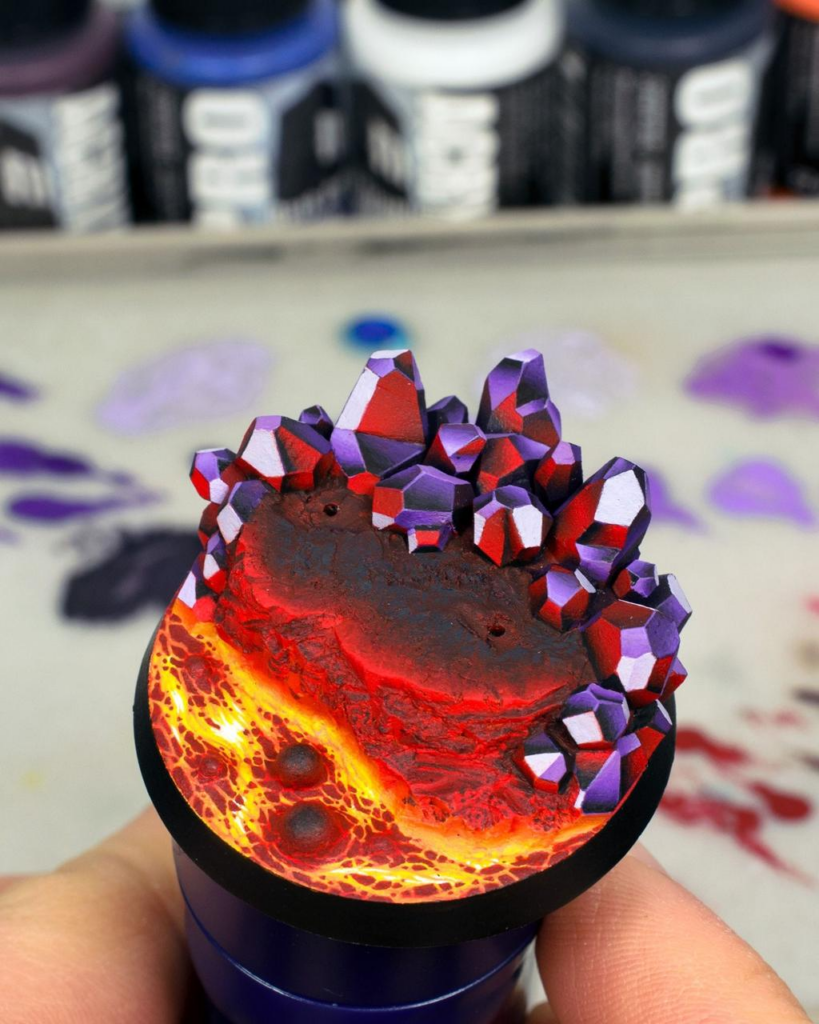
Gloss varnish can be extremely effective on gemstones, but it should complement your painted reflections rather than replace them.
Paint the entire gemstone normally first.
Create all your gradients, edge highlights, and artificial reflections.
Once everything is completely dry, apply a thin layer of gloss varnish.
Real environmental light will now reflect from the surface while your painted highlights remain visible underneath.
This combination can create excellent depth.
However, don’t automatically cover the entire miniature with gloss.
The gemstone becomes more convincing when its shiny finish contrasts against matte cloth, stone, skin, or leather.
Common Mistakes When Painting Crystals
One of the biggest mistakes is starting with a color that is already too bright.
Without dark areas, there is nowhere for your highlights to go.
Another common problem is making every facet identical.
If every surface transitions from dark at the bottom to light at the top, the object may simply look like a normal highlighted rock.
Reverse some gradients.
Allow neighboring facets to behave differently.
Also avoid covering too much of the crystal with white.
White should represent the strongest reflections rather than the main color.
Finally, don’t forget the environment.
A glowing crystal surrounded by completely unaffected surfaces can feel disconnected. Even a tiny amount of reflected color can dramatically improve the illusion.
Final Thoughts
Painting crystals and gemstones is less about perfectly reproducing real-world optics and more about creating a convincing illusion.
Start with deep shadows.
Build saturated colors gradually.
Reverse gradients across neighboring facets.
Push selected areas toward extremely bright colors.
Finish with sharp edge highlights and tiny white reflections.
For magical crystals, exaggerate the effect further by creating bright internal areas and reflecting that color onto surrounding surfaces with controlled OSL.
Once you understand this technique, you can apply it almost anywhere: wizard staffs, enchanted swords, treasure, armor, jewelry, magical creatures, dungeon scenery, spell effects, and miniature bases.
A tiny gemstone might occupy only a few millimeters of your miniature, but with enough contrast it can become one of the most visually striking details on the entire model.
Frequently Asked Questions
What colors should I use for miniature crystals?
Choose a dark shadow, saturated midtone, bright highlight, and near-white reflection based on your crystal color. Blue crystals, for example, can use navy, royal blue, turquoise, cyan, and white.
Do I need transparent paint to create realistic crystals?
No. Opaque acrylic paints can create a convincing transparent illusion through gradients, contrast, reflections, and edge highlights.
Why should some crystal gradients be reversed?
Alternating the direction of neighboring gradients suggests internal reflection and refraction, making the crystal appear more complex and transparent.
Should I use pure white on gemstones?
Yes, but sparingly. Reserve pure white for the strongest reflections and smallest highlights.
Should gemstones have gloss varnish?
Gloss varnish can improve the effect, particularly on polished gemstones. Paint all artificial highlights first and apply gloss afterward.
How do I make a crystal look like it is glowing?
Place extremely bright colors inside the crystal and use thin glazes of the same color on nearby surfaces to create Object Source Lighting.
Can this technique be used on tiny gems?
Yes. Simplify the process to a dark base, bright lower area, brighter crescent, and tiny white reflection.
What is the most important part of painting crystals?
Contrast. Very dark shadows beside intense saturated colors and tiny bright reflections create the illusion of a reflective or translucent material.
If you would like free D&D STL miniatures, visit our homepage and download yours now: