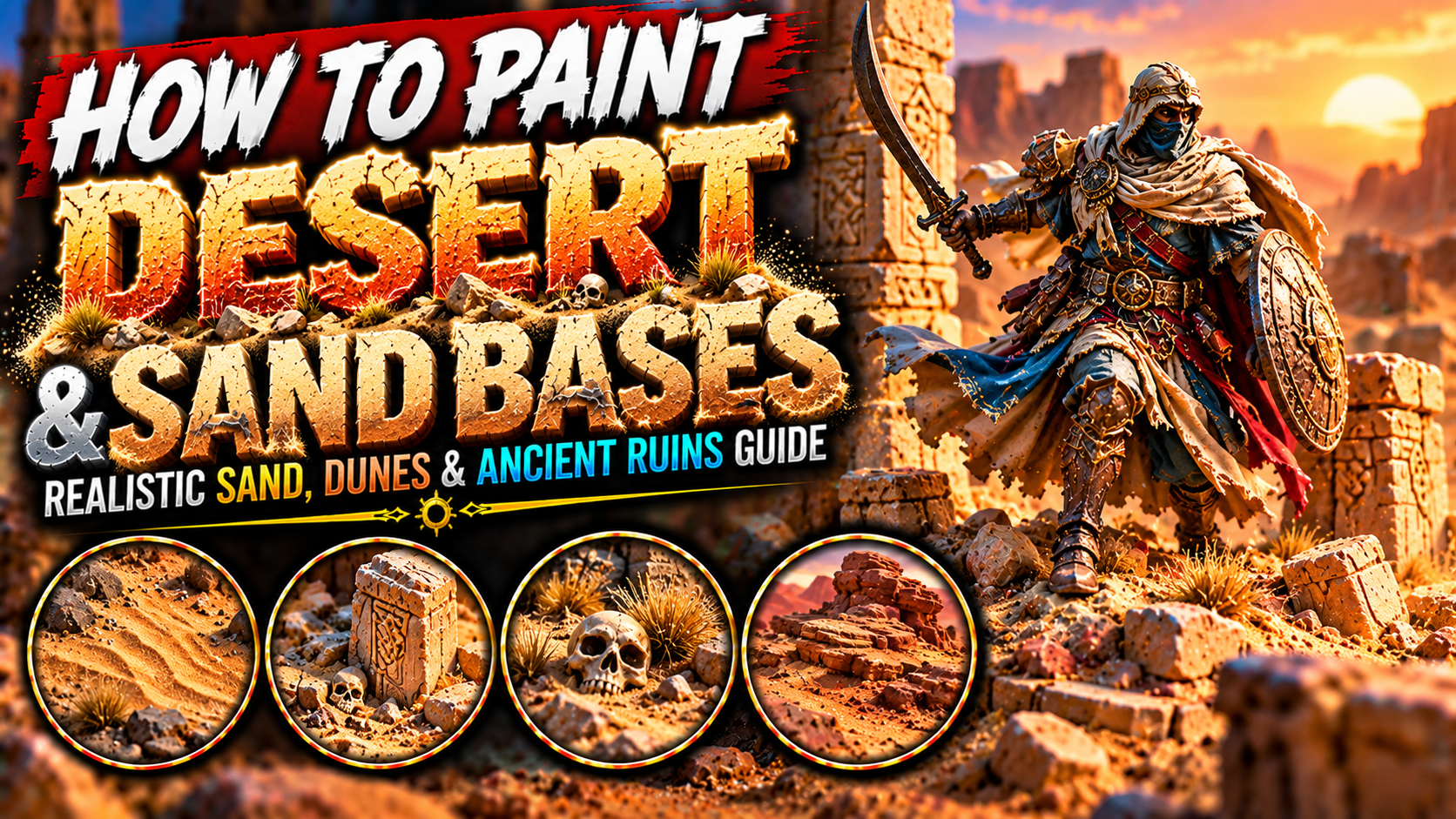
How to Paint Desert and Sand Bases on Miniatures (Realistic Sand, Dunes & Ancient Ruins Guide)
Desert bases are one of the most effective ways to give fantasy miniatures a strong sense of environment and adventure.
Whether you’re painting a desert warrior, an ancient mummy, a wandering sorcerer, a giant scorpion, or a dragon emerging from the dunes, a realistic desert base can transform an ordinary miniature into a cinematic scene.
Unlike forest or swamp environments, deserts often contain relatively few objects.
That means every texture, shadow, and color transition becomes more important.
Sand may look simple at first, but realistic desert terrain contains a surprising amount of visual complexity.
Wind creates irregular patterns across dunes. Rocks cast sharp shadows under intense sunlight. Ancient ruins become weathered and partially buried beneath layers of dust.
The colors also vary considerably.
Some deserts contain pale golden sand, while others feature orange dunes, reddish earth, dark volcanic sand, or almost white mineral deposits.
Creating a convincing desert base requires more than covering the ground with sand-colored paint.
You need to understand texture, natural color variation, dry brushing, environmental weathering, realistic shadows, and how sand interacts with miniature scenery.
In this guide, you’ll learn how to paint realistic desert sand, wind-shaped dunes, sandstone rocks, ancient ruins, buried bones, desert vegetation, weathered terrain, and cinematic fantasy bases.

Understanding How Desert Terrain Looks
Desert environments are shaped by wind, sunlight, erosion, and the movement of sand.
The most recognizable feature is the presence of loose granular material.
However, not every desert consists entirely of soft dunes.
Many desert landscapes contain exposed rock, compacted earth, gravel, dry vegetation, and ancient stone formations.
For miniature painting, the most important characteristic to reproduce is the relationship between these different textures.
Fine sand should appear relatively smooth at miniature scale.
Larger rocks should contain sharper edges and stronger shadows.
Weathered sandstone often displays horizontal layers and irregular erosion.
A convincing desert base combines these elements without making the surface excessively crowded.
Color variation is equally important.
Realistic sand rarely consists of one completely uniform color.
Even pale golden sand contains darker recesses, warm midtones, and bright highlights where sunlight strikes the surface.

Choosing the Best Desert Color Palette
Different desert environments require different color combinations.
Golden sand creates a classic fantasy desert appearance.
Orange and red tones work beautifully for dramatic dunes and ancient ruins.
Pale beige can suggest dry, sun-bleached environments.
Dark brown and grey are useful for rocky wastelands.
| Desert environment | Color progression |
|---|---|
| Golden desert sand | Dark Brown → Ochre → Sand Yellow → Ivory |
| Red desert | Dark Red-Brown → Terracotta → Orange-Brown → Pale Orange |
| Pale desert | Grey-Brown → Beige → Bone → Ivory |
| Rocky wasteland | Charcoal → Brown-Grey → Tan → Pale Grey |
| Ancient sandstone | Dark Umber → Warm Brown → Ochre → Pale Sandstone |
| Volcanic desert | Black → Dark Grey → Ash Grey → Pale Grey |
Choose a palette that complements the miniature.
For example, blue or turquoise clothing creates strong contrast against warm golden sand.
Dark armor can stand out beautifully against pale desert terrain.
Red desert bases work particularly well with black, ivory, and desaturated green miniatures.
Avoid using only one sand color across the entire base.
Subtle variations help create a natural appearance.

Preparing the Miniature Base
Before applying texture, decide what type of desert environment you want to create.
A simple desert base might contain only sand and a few rocks.
A more elaborate display base could include dunes, broken columns, skulls, and ancient ruins.
Start with a clean miniature base.
Remove any dust or loose material.
If you’re adding larger rocks or scenery pieces, attach them before applying fine sand.
This helps establish the composition.
Consider where the miniature will stand.
Avoid placing large rocks directly beneath the feet unless they are intentionally part of the pose.
The base should support the miniature rather than distract from it.
For gaming miniatures, keep the terrain reasonably durable and avoid fragile decorations that extend too far beyond the base.

Creating Realistic Sand Texture
The foundation of a desert base is its surface texture.
Fine modeling sand, texture paste, and suitable basing materials can all create convincing results.
Apply a thin layer of PVA glue or another appropriate adhesive.
Then sprinkle fine sand over the surface.
Remove excess material after the adhesive has dried.
For additional variation, introduce a small amount of slightly larger grit.
Avoid using particles that are too large for the miniature’s scale.
Oversized grains can make the desert look like a field of boulders.
Texture paste is another excellent option.
It allows you to create smooth transitions and gentle changes in elevation.
For larger bases, you can combine texture paste with small amounts of sand to create a more varied surface.

Painting the Dark Sand Basecoat
Begin with a dark version of your chosen desert color.
For golden sand, use dark brown or brown-ochre.
For red desert terrain, use dark reddish-brown.
For pale sand, begin with grey-brown.
Apply the basecoat evenly across the textured surface.
Make sure the paint reaches the recesses.
These darker areas will create the shadows between individual grains and rocks.
Avoid using extremely thick paint.
Heavy coats can fill the texture and reduce the natural appearance.
Once the basecoat is dry, you can begin building lighter colors.
At this stage, the base may look much darker than the final result.
That’s intentional.
The lighter layers will gradually create the impression of sunlit sand.

Building Natural Sand Highlights
Dry brushing is one of the most effective techniques for painting textured desert bases.
Begin with a medium ochre or tan.
Remove most of the paint from your brush.
Then gently move the brush across the raised texture.
The lighter color should catch the highest grains while leaving darker paint in the recesses.
Next, introduce sand yellow.
Apply a lighter dry brush.
Finish with a small amount of ivory or pale beige.
Concentrate the brightest highlights on the most exposed surfaces.
Avoid making every section equally bright.
Small differences in highlight intensity create a more natural appearance.
For very fine sand, use gentle pressure.
Aggressive dry brushing can obscure subtle textures.

Painting Golden Desert Sand
Golden sand is one of the most recognizable desert effects.
It works especially well for Egyptian-inspired fantasy settings, ancient ruins, desert warriors, and wandering adventurers.
Begin with dark ochre.
Introduce warm brown across the raised areas.
Then build toward sand yellow.
Add pale beige highlights.
Finish selected areas with ivory.
Keep the deepest recesses darker.
You can introduce small patches of slightly orange or brown sand to create variation.
Avoid placing these patches in a perfectly regular pattern.
Natural terrain benefits from controlled randomness.
Golden sand looks particularly convincing when combined with warm sandstone rocks and weathered ruins.

Painting Red Desert Sand
Red deserts create a dramatic environment for fantasy miniatures.
They are particularly effective for demonic wastelands, ancient battlefields, dragon territories, and harsh alien landscapes.
Begin with dark reddish-brown.
Introduce terracotta.
Then build toward orange-brown.
Add pale orange or warm beige highlights.
Keep the recesses dark.
For additional depth, introduce small amounts of muted purple or dark brown into the shadows.
This creates a richer appearance.
Red desert sand can be combined with dark rocks and weathered bones.
The contrast between warm sand and pale skeletal remains creates a strong visual focal point.

Painting Pale and Sun-Bleached Sand
Pale sand works beautifully for dry wastelands, ancient tombs, desert ruins, and extremely bright environments.
Begin with grey-brown.
Build toward beige.
Introduce bone-colored highlights.
Finish with ivory.
Avoid painting the entire base pure white.
White sand still needs shadows to maintain texture.
For a sun-bleached appearance, keep the overall palette relatively desaturated.
Small patches of warm beige can prevent the terrain from looking too cold.
Pale sand is especially effective beneath dark miniatures.
Black armor, dark robes, and saturated magical effects become much more noticeable against a light desert base.

Creating Wind-Shaped Sand Dunes
Sand dunes are one of the most distinctive desert features.
Their shapes are influenced by wind direction and the movement of loose material.
For miniature bases, create gentle slopes rather than extremely tall hills.
Use modeling putty, sculpting material, or texture paste to establish the basic form.
Smooth the surface.
Then introduce subtle curved ridges.
These ridges should generally follow a consistent direction.
Avoid making every ridge identical.
Some should be longer.
Others can disappear into the surrounding sand.
Once the texture is dry, apply your normal desert color progression.
Highlight the raised ridges while keeping the recessed sections darker.
This creates the illusion of wind-shaped sand.

Painting Sandstone Rocks
Sandstone rocks are excellent additions to desert bases.
They introduce larger shapes that contrast with the fine sand.
Begin with dark brown or reddish-brown.
Introduce warm ochre across the raised surfaces.
Then add pale sandstone highlights.
Use controlled dry brushing to emphasize edges and texture.
For layered sandstone, paint thin irregular horizontal lines.
These suggest sedimentary formations.
Keep the lines subtle.
Avoid making every layer perfectly straight or evenly spaced.
Natural sandstone often contains broken edges and irregular erosion.
You can also introduce small patches of darker brown in cracks and recesses.

Creating Realistic Rock Shadows
Rocks help establish scale and depth on a miniature base.
To make them convincing, identify the direction of the light.
Surfaces facing the light should receive brighter highlights.
Recesses and undersides should remain darker.
Begin with a dark basecoat.
Introduce a medium tone across the main surfaces.
Then highlight exposed edges.
Use the brightest color sparingly.
For warm desert rocks, pale beige or ivory can represent intense sunlight.
Avoid highlighting every edge equally.
Directional lighting creates a stronger three-dimensional appearance.
Small dark lines beneath rocks can also help them appear firmly attached to the sand.

Painting Ancient Desert Ruins
Ancient ruins can transform a simple desert base into a storytelling environment.
Broken columns, carved stones, fallen statues, and ruined walls all work beautifully.
Begin with a dark sandstone color.
Build toward warm brown.
Then introduce ochre and pale beige highlights.
Keep cracks and carved details darker.
For ancient ruins, avoid perfectly clean surfaces.
Introduce subtle weathering.
Small chips, scratches, and irregular color patches suggest age.
You can also paint sand accumulating around the base of columns and walls.
This makes the ruins appear partially buried.
The scenery should look as though it has existed in the desert for centuries.

Creating Sand Accumulation Around Objects
One of the most effective ways to make desert terrain realistic is to show how sand interacts with objects.
Sand naturally collects around rocks, walls, fallen statues, and other obstacles.
Add small amounts of texture paste or fine sand near the base of these objects.
Create gentle slopes.
Avoid making the sand appear like a perfectly circular mound.
Wind often causes accumulation on one side of an obstacle.
Use the same color palette as the surrounding ground.
Then introduce slightly darker shadows where the sand meets the object.
This helps integrate the scenery into the environment.
A partially buried sword, skull, or broken shield can create an especially interesting storytelling detail.

Painting Desert Bones and Skeletons
Bones are classic details for desert bases.
They suggest danger, harsh conditions, and the remains of forgotten travelers.
Begin with dark brown or grey-brown.
Introduce bone-colored midtones.
Then highlight with ivory.
Keep the deepest recesses dark.
For sun-bleached bones, use pale beige and off-white.
Avoid painting the entire skeleton pure white.
A little warm brown helps connect the bones to the surrounding sand.
You can also add subtle dust effects around the lower sections.
This makes the remains appear partially buried.
Large skulls and skeletal fragments can become strong focal points on display bases.

Painting Desert Vegetation
Although deserts appear barren, many contain hardy vegetation.
Dry grasses, small shrubs, thorny plants, and cacti can add visual interest.
For dry grass, use muted yellow, beige, and brown.
Avoid bright green unless you’re creating an oasis or a less arid environment.
For small shrubs, begin with dark brown.
Introduce muted olive or dusty green highlights.
Cacti can use dark green, medium green, and pale green edge highlights.
Keep vegetation relatively sparse.
Too many plants can make the base resemble grassland rather than desert.
Place small clusters near rocks or sheltered areas.
This creates a more believable distribution.

Painting Desert Dust on Miniatures
Dust is an excellent way to connect a character to its environment.
A warrior standing in the desert should not always look completely clean.
You can add subtle sand-colored weathering to boots, lower robes, armor, and equipment.
Begin with a thin glaze of your desert base color.
Apply it near the feet.
Gradually reduce the intensity higher up the miniature.
For golden sand, use pale ochre or beige.
For red deserts, use terracotta or muted orange-brown.
Keep the weathering subtle.
Avoid covering important details.
The goal is to suggest environmental exposure rather than repainting the entire miniature.

Creating Desert Weathering on Armor
Desert environments can leave armor dusty, scratched, and worn.
Begin by painting the armor normally.
Then introduce small amounts of sand-colored weathering near the lower sections.
Use thin glazes or carefully controlled dry brushing.
For metallic armor, add subtle scratches along exposed edges.
Keep the strongest metallic highlights visible.
For leather armor, introduce pale brown dust along straps and folds.
Avoid making every surface equally dirty.
Areas closest to the ground should generally receive more dust.
Raised surfaces may remain cleaner.
This variation creates a more convincing weathered appearance.

Painting Desert Bases for Mummies and Undead
Desert bases are particularly effective for mummies, skeletal warriors, ancient guardians, and undead creatures.
Use pale sand and weathered sandstone.
Introduce broken tombstones, cracked pillars, and partially buried bones.
For an ancient tomb atmosphere, keep the colors slightly desaturated.
You can add small areas of dark brown around cracks and ruined structures.
A few turquoise or gold details can suggest forgotten civilizations.
If the undead miniature contains glowing magical energy, use subtle Object Source Lighting to illuminate nearby sand and stone.
The contrast between ancient desert colors and supernatural light can create a dramatic result.

Painting Desert Bases for Dragons
Desert dragons benefit from dramatic terrain.
Large rocks, dunes, bones, and broken ruins can emphasize their size.
For a red dragon, pale golden sand creates strong contrast.
For a blue dragon, warm orange dunes can complement the creature’s cool colors.
For a skeletal dragon, weathered sandstone and sun-bleached bones reinforce the ancient atmosphere.
Use larger terrain features on display bases.
However, avoid placing too many objects around the dragon.
The creature should remain the main focal point.
Sand accumulation around the feet can help establish the dragon’s weight.
Small rocks and broken terrain can reinforce the impression of a massive creature moving through the desert.

Creating Desert Bases with Ancient Treasure
Desert treasure bases can tell stories of forgotten kingdoms and buried civilizations.
Small coins, broken pottery, gemstones, and ancient artifacts can create interesting details.
Paint the sand normally.
Then introduce a few partially buried objects.
For gold coins, begin with dark brown.
Add warm metallic gold.
Finish with bright gold highlights.
For pottery, use terracotta and pale orange-brown.
For gemstones, introduce saturated colors that contrast with the desert environment.
Keep the treasure partially covered by sand.
This makes it appear naturally buried rather than simply placed on top of the base.

Creating Cinematic Desert Lighting
Desert environments often feature intense sunlight.
You can emphasize this through directional highlights.
Choose a consistent light direction.
Highlight the exposed surfaces of rocks, dunes, and ruins.
Keep the opposite sides darker.
For warm sunlight, use pale yellow, ivory, or warm beige.
For a sunset atmosphere, introduce subtle orange and red tones.
You can also use cooler shadows to create contrast.
Avoid making every surface equally bright.
Strong directional lighting makes the terrain appear more three-dimensional.
For display miniatures, this technique can create a dramatic cinematic atmosphere.

Common Mistakes When Painting Desert Bases
One of the most common mistakes is using sand particles that are too large.
Oversized grains can destroy the illusion of scale.
Choose fine textures appropriate to the miniature.
Another mistake is painting the entire base one uniform color.
Natural deserts contain subtle variations in sand, rock, and soil.
Avoid excessive dry brushing.
Heavy applications can make the surface look chalky.
Don’t overcrowd the base with rocks and decorations.
Desert environments often benefit from open space.
Another problem is making dunes too steep.
Gentle slopes generally look more convincing for loose sand.
Finally, remember to integrate scenery into the terrain.
Rocks, ruins, bones, and other objects should appear partially surrounded by sand rather than floating above it.

Final Thoughts
Painting convincing desert and sand bases requires realistic texture, natural color variation, controlled dry brushing, directional lighting, and thoughtful environmental storytelling.
Start by choosing the type of desert you want to create.
Golden dunes provide a classic fantasy appearance.
Red deserts create a dramatic and dangerous atmosphere.
Pale sand works beautifully for ancient tombs and sun-bleached environments.
Rocky wastelands can introduce a harsher, more rugged setting.
Use fine texture materials to establish the ground.
Apply a dark basecoat.
Gradually build lighter colors across the raised surfaces.
Introduce rocks, dunes, ruins, and vegetation where appropriate.
Remember that sand interacts with everything around it.
It accumulates near obstacles, partially buries ancient objects, and covers the lower sections of travelers and creatures.
For additional realism, apply subtle dust weathering to the miniature itself.
These techniques work beautifully for desert warriors, mummies, undead guardians, dragons, giant scorpions, ancient constructs, nomadic adventurers, and fantasy dioramas.
The most important principle is to make the desert feel like a believable environment rather than a simple layer of sand beneath the miniature.
With careful texture, lighting, and composition, even a small tabletop base can suggest an enormous landscape of dunes, forgotten ruins, and ancient mysteries.
Frequently Asked Questions
What is the best material for miniature desert bases?
Fine modeling sand, texture paste, and appropriately scaled grit are excellent choices for creating realistic desert surfaces.
What colors should I use for golden desert sand?
Dark brown, ochre, sand yellow, beige, and ivory create an effective progression.
How do I paint realistic sand texture?
Start with a dark basecoat, then gradually dry brush lighter colors across the raised grains.
How do I create sand dunes on miniature bases?
Use modeling putty or texture paste to create gentle slopes, then add subtle wind-shaped ridges before painting.
How do I paint red desert sand?
Begin with dark reddish-brown, build toward terracotta and orange-brown, and finish with pale warm highlights.
How do I make desert rocks look realistic?
Use dark recesses, warm sandstone colors, irregular texture, and directional edge highlights.
Should I add vegetation to desert bases?
Yes, but keep it sparse. Dry grasses, small shrubs, and cacti can add realism without overwhelming the environment.
How do I make a miniature look dusty?
Apply thin glazes or gentle dry brushing with sand-colored paint around boots, lower robes, and equipment.
If you would like free D&D STL miniatures, visit our homepage and download yours now: